

CSS3 Tooltips for WordPress 1.9
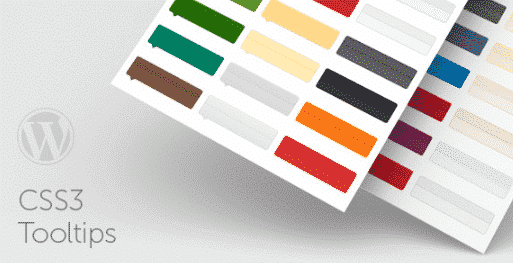
Overview of CSS3 Tooltips for WordPress
Elevate your website’s user experience with CSS3 Tooltips for WordPress, a powerful and intuitive plugin designed to add stylish, non-intrusive informational tooltips to any element on your WordPress site. Perfect for webmasters, bloggers, e-commerce store owners, and anyone looking to provide context-sensitive information without cluttering their content, CSS3 Tooltips for WordPress transforms static text and images into engaging, interactive elements that enhance clarity and user engagement.
Key Features of CSS3 Tooltips for WordPress
- Modern CSS3 Animations: Impress your visitors with smooth, hardware-accelerated CSS3 animations and transitions that make your tooltips appear and disappear gracefully, adding a touch of modern sophistication to your site.
- Extensive Customization Options: Tailor the look and feel of your tooltips to perfectly match your brand. CSS3 Tooltips for WordPress offers comprehensive settings for colors, fonts, background styles, border-radius, and more, ensuring seamless integration with your website’s design.
- Flexible Positioning: Control exactly where your tooltips appear relative to their trigger element. Choose from top, bottom, left, or right placements, and even fine-tune offsets to achieve the ideal visual balance for any content.
- Lightweight & Performance-Optimized: Built with efficiency in mind, CSS3 Tooltips for WordPress adds minimal overhead to your site. Its clean code ensures fast loading times and a smooth user experience, without compromising on functionality or style.
- Responsive Design Ready: Your tooltips will look great and function flawlessly on any device, from desktops to tablets and smartphones. CSS3 Tooltips for WordPress is fully responsive, adapting to various screen sizes for consistent user interaction.
- Easy Implementation with Shortcodes: Integrate tooltips effortlessly using simple shortcodes or the dedicated Gutenberg block. This makes adding rich, interactive information accessible to users of all technical skill levels, empowering you to enhance content quickly.
- Multiple Trigger Events: Define how your tooltips are activated – on hover, on click, or even on focus. This flexibility allows you to create diverse interactive experiences tailored to your content and audience.
- Cross-Browser Compatibility: Rest assured that your tooltips will display correctly across all major web browsers, including Chrome, Firefox, Safari, Edge, and Opera, providing a consistent experience for all your visitors.
Why Choose CSS3 Tooltips for WordPress?
Choosing CSS3 Tooltips for WordPress means opting for a superior way to deliver supplementary information on your website. In today’s fast-paced digital world, users appreciate quick access to details without being overwhelmed by excessive text. This plugin provides an elegant solution, allowing you to embed definitions, explanations, product details, or any other relevant data directly into your content, appearing only when needed. This not only declutters your pages but also significantly improves readability and user retention, as visitors can easily grasp complex information without navigating away from the current page.
Beyond aesthetics, CSS3 Tooltips for WordPress offers tangible value by enhancing the overall professionalism and interactivity of your site. It transforms a static user journey into a dynamic exploration, encouraging visitors to engage more deeply with your content. Whether you’re clarifying jargon in a blog post, highlighting features of a product in an e-commerce store, or providing context in an educational resource, this plugin makes information delivery both efficient and engaging. Its robust customization options mean your tooltips will always align with your brand identity, reinforcing a cohesive and polished online presence.
Furthermore, the ease of use with CSS3 Tooltips for WordPress saves valuable development time. You don’t need to be a coding expert to implement stunning, animated tooltips. The intuitive interface and straightforward shortcode implementation mean you can quickly deploy and manage tooltips across your site, freeing you up to focus on content creation and other important aspects of your online presence. It’s an investment in user experience that pays dividends in engagement, clarity, and site aesthetics.
Who Should Use CSS3 Tooltips for WordPress?
CSS3 Tooltips for WordPress is an indispensable tool for a wide range of WordPress users. Bloggers can use it to define terms or provide quick facts without interrupting the flow of their articles. E-commerce store owners will find it invaluable for displaying product specifications, care instructions, or size guides directly on product pages. Educators and online course providers can leverage it to explain complex concepts or acronyms. Portfolio sites can use it to highlight project details or client testimonials. Developers and designers will appreciate its flexibility for custom implementations. Essentially, anyone who wants to present additional information gracefully and effectively, without cluttering their main content, will benefit immensely from CSS3 Tooltips for WordPress.
How to Install CSS3 Tooltips for WordPress
- Download the Plugin: First, obtain the CSS3 Tooltips for WordPress plugin file from your GPLUniverse account after purchase. Ensure you download the latest version for optimal performance and features.
- Upload to WordPress: Log in to your WordPress admin dashboard. Navigate to ‘Plugins’ > ‘Add New’. Click on the ‘Upload Plugin’ button at the top of the page.
- Choose and Install: Click ‘Choose File’, locate the downloaded CSS3 Tooltips for WordPress .zip file on your computer, and select it. Then, click ‘Install Now’.
- Activate the Plugin: Once the installation is complete, WordPress will prompt you. Click on ‘Activate Plugin’ to enable CSS3 Tooltips for WordPress on your website.
- Configure and Use: After activation, you’ll find the settings for CSS3 Tooltips for WordPress under your WordPress dashboard menu. Configure your desired tooltip styles, animations, and behaviors. You can then start adding tooltips to your content using the provided shortcodes or Gutenberg block.
Frequently Asked Questions About CSS3 Tooltips for WordPress
What is CSS3 Tooltips for WordPress?
CSS3 Tooltips for WordPress is a premium WordPress plugin that allows you to easily add stylish, animated, and fully customizable tooltips to any element on your website. It uses modern CSS3 transitions to create smooth hover effects, providing extra information to your users without cluttering your page content.
Is CSS3 Tooltips for WordPress responsive and mobile-friendly?
Yes, absolutely. CSS3 Tooltips for WordPress is designed with responsiveness in mind. All tooltips adapt seamlessly to different screen sizes and devices, ensuring a consistent and optimal user experience whether your visitors are on a desktop, tablet, or smartphone.
Can I customize the appearance of tooltips created with CSS3 Tooltips for WordPress?
Yes, extensive customization is a core feature of CSS3 Tooltips for WordPress. You have full control over various aspects such as colors, fonts, background styles, border-radius, padding, and even animation types. This allows you to perfectly match the tooltips to your website’s specific design and branding.
Get CSS3 Tooltips for WordPress Today
Ready to enhance your website with elegant and informative tooltips? Integrate CSS3 Tooltips for WordPress into your site today and provide your visitors with a richer, more interactive browsing experience. Explore this powerful plugin and many other essential WordPress Plugins available. Discover the full range of high-quality GPL WordPress Products to empower your website’s functionality and design.
Related Products You May Like
Here's everything you need to know about your purchase:
- 100% original files — Every product is the genuine, virus-free file, exactly as released by the original developer.
- Instant download — Access your files immediately after purchase from your account.
- Lifetime access — Re-download your purchased files anytime. No expiry, no limits.
- Free updates — Newer version released? Just request an update from us, free for all customers.
- Dedicated support — Our team is available 24/7 for installation and file-related help.
- Easy refunds — Not satisfied? Review our Refund Policy. We offer a hassle-free 7-day guarantee.
$59.00 Original price was: $59.00.$2.00Current price is: $2.00.
Version
1.9
Last Updated
12/02/2026
License
GPL v2
Compatibility
WordPress 5.0+
Need latest version?
Newer version released? Request an update from us — free for all customers!
Request Update →🎁 Your Purchase Includes
Overview of CSS3 Tooltips for WordPress
Elevate your website’s user experience with CSS3 Tooltips for WordPress, a powerful and intuitive plugin designed to add stylish, non-intrusive informational tooltips to any element on your WordPress site. Perfect for webmasters, bloggers, e-commerce store owners, and anyone looking to provide context-sensitive information without cluttering their content, CSS3 Tooltips for WordPress transforms static text and images into engaging, interactive elements that enhance clarity and user engagement.
Key Features of CSS3 Tooltips for WordPress
- Modern CSS3 Animations: Impress your visitors with smooth, hardware-accelerated CSS3 animations and transitions that make your tooltips appear and disappear gracefully, adding a touch of modern sophistication to your site.
- Extensive Customization Options: Tailor the look and feel of your tooltips to perfectly match your brand. CSS3 Tooltips for WordPress offers comprehensive settings for colors, fonts, background styles, border-radius, and more, ensuring seamless integration with your website’s design.
- Flexible Positioning: Control exactly where your tooltips appear relative to their trigger element. Choose from top, bottom, left, or right placements, and even fine-tune offsets to achieve the ideal visual balance for any content.
- Lightweight & Performance-Optimized: Built with efficiency in mind, CSS3 Tooltips for WordPress adds minimal overhead to your site. Its clean code ensures fast loading times and a smooth user experience, without compromising on functionality or style.
- Responsive Design Ready: Your tooltips will look great and function flawlessly on any device, from desktops to tablets and smartphones. CSS3 Tooltips for WordPress is fully responsive, adapting to various screen sizes for consistent user interaction.
- Easy Implementation with Shortcodes: Integrate tooltips effortlessly using simple shortcodes or the dedicated Gutenberg block. This makes adding rich, interactive information accessible to users of all technical skill levels, empowering you to enhance content quickly.
- Multiple Trigger Events: Define how your tooltips are activated – on hover, on click, or even on focus. This flexibility allows you to create diverse interactive experiences tailored to your content and audience.
- Cross-Browser Compatibility: Rest assured that your tooltips will display correctly across all major web browsers, including Chrome, Firefox, Safari, Edge, and Opera, providing a consistent experience for all your visitors.
Why Choose CSS3 Tooltips for WordPress?
Choosing CSS3 Tooltips for WordPress means opting for a superior way to deliver supplementary information on your website. In today’s fast-paced digital world, users appreciate quick access to details without being overwhelmed by excessive text. This plugin provides an elegant solution, allowing you to embed definitions, explanations, product details, or any other relevant data directly into your content, appearing only when needed. This not only declutters your pages but also significantly improves readability and user retention, as visitors can easily grasp complex information without navigating away from the current page.
Beyond aesthetics, CSS3 Tooltips for WordPress offers tangible value by enhancing the overall professionalism and interactivity of your site. It transforms a static user journey into a dynamic exploration, encouraging visitors to engage more deeply with your content. Whether you’re clarifying jargon in a blog post, highlighting features of a product in an e-commerce store, or providing context in an educational resource, this plugin makes information delivery both efficient and engaging. Its robust customization options mean your tooltips will always align with your brand identity, reinforcing a cohesive and polished online presence.
Furthermore, the ease of use with CSS3 Tooltips for WordPress saves valuable development time. You don’t need to be a coding expert to implement stunning, animated tooltips. The intuitive interface and straightforward shortcode implementation mean you can quickly deploy and manage tooltips across your site, freeing you up to focus on content creation and other important aspects of your online presence. It’s an investment in user experience that pays dividends in engagement, clarity, and site aesthetics.
Who Should Use CSS3 Tooltips for WordPress?
CSS3 Tooltips for WordPress is an indispensable tool for a wide range of WordPress users. Bloggers can use it to define terms or provide quick facts without interrupting the flow of their articles. E-commerce store owners will find it invaluable for displaying product specifications, care instructions, or size guides directly on product pages. Educators and online course providers can leverage it to explain complex concepts or acronyms. Portfolio sites can use it to highlight project details or client testimonials. Developers and designers will appreciate its flexibility for custom implementations. Essentially, anyone who wants to present additional information gracefully and effectively, without cluttering their main content, will benefit immensely from CSS3 Tooltips for WordPress.
How to Install CSS3 Tooltips for WordPress
- Download the Plugin: First, obtain the CSS3 Tooltips for WordPress plugin file from your GPLUniverse account after purchase. Ensure you download the latest version for optimal performance and features.
- Upload to WordPress: Log in to your WordPress admin dashboard. Navigate to ‘Plugins’ > ‘Add New’. Click on the ‘Upload Plugin’ button at the top of the page.
- Choose and Install: Click ‘Choose File’, locate the downloaded CSS3 Tooltips for WordPress .zip file on your computer, and select it. Then, click ‘Install Now’.
- Activate the Plugin: Once the installation is complete, WordPress will prompt you. Click on ‘Activate Plugin’ to enable CSS3 Tooltips for WordPress on your website.
- Configure and Use: After activation, you’ll find the settings for CSS3 Tooltips for WordPress under your WordPress dashboard menu. Configure your desired tooltip styles, animations, and behaviors. You can then start adding tooltips to your content using the provided shortcodes or Gutenberg block.
Frequently Asked Questions About CSS3 Tooltips for WordPress
What is CSS3 Tooltips for WordPress?
CSS3 Tooltips for WordPress is a premium WordPress plugin that allows you to easily add stylish, animated, and fully customizable tooltips to any element on your website. It uses modern CSS3 transitions to create smooth hover effects, providing extra information to your users without cluttering your page content.
Is CSS3 Tooltips for WordPress responsive and mobile-friendly?
Yes, absolutely. CSS3 Tooltips for WordPress is designed with responsiveness in mind. All tooltips adapt seamlessly to different screen sizes and devices, ensuring a consistent and optimal user experience whether your visitors are on a desktop, tablet, or smartphone.
Can I customize the appearance of tooltips created with CSS3 Tooltips for WordPress?
Yes, extensive customization is a core feature of CSS3 Tooltips for WordPress. You have full control over various aspects such as colors, fonts, background styles, border-radius, padding, and even animation types. This allows you to perfectly match the tooltips to your website’s specific design and branding.
Get CSS3 Tooltips for WordPress Today
Ready to enhance your website with elegant and informative tooltips? Integrate CSS3 Tooltips for WordPress into your site today and provide your visitors with a richer, more interactive browsing experience. Explore this powerful plugin and many other essential WordPress Plugins available. Discover the full range of high-quality GPL WordPress Products to empower your website’s functionality and design.
Related Products You May Like
Reviews
There are no reviews yet.
Here's everything you need to know about your purchase:
- 100% original files — Every product is the genuine, virus-free file, exactly as released by the original developer.
- Instant download — Access your files immediately after purchase from your account.
- Lifetime access — Re-download your purchased files anytime. No expiry, no limits.
- Free updates — Newer version released? Just request an update from us, free for all customers.
- Dedicated support — Our team is available 24/7 for installation and file-related help.
- Easy refunds — Not satisfied? Review our Refund Policy. We offer a hassle-free 7-day guarantee.
Reviews
There are no reviews yet.