

Code Snippets Pro 3.9.5
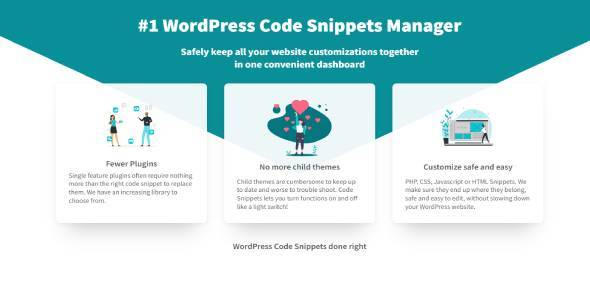
Overview of Code Snippets Pro
Unlock the full potential of your WordPress website with Code Snippets Pro, the indispensable plugin for effortlessly adding, managing, and executing custom code snippets without ever touching your theme’s functions.php file. Designed for developers, agencies, and savvy site owners alike, Code Snippets Pro streamlines your workflow, ensures site stability, and empowers you to extend WordPress functionality with unparalleled ease and precision.
Key Features of Code Snippets Pro
- Intuitive Snippet Management: Easily add, edit, activate, and deactivate code snippets from a clean, user-friendly interface within your WordPress dashboard. Code Snippets Pro keeps your custom logic organized and accessible.
- Safe Code Execution: Say goodbye to dreaded white screens of death. Code Snippets Pro includes robust error handling, automatically deactivating snippets that cause fatal errors, allowing you to debug without breaking your live site.
- Scope Control: Define precisely where your snippets run. Choose to execute code everywhere, only on the front-end, only in the admin area, or even on specific pages or post types for ultimate flexibility.
- Import and Export Functionality: Migrate your custom code between websites with ease. Code Snippets Pro supports importing and exporting snippets as JSON files, perfect for staging environments or deploying to multiple client sites.
- Code Editor with Syntax Highlighting: Write and edit your PHP, CSS, or JavaScript snippets using a built-in editor that offers syntax highlighting, making your code easier to read and less prone to errors.
- Description and Tags: Keep your growing library of snippets perfectly organized with descriptive titles, detailed descriptions, and custom tags, ensuring you can always find what you need quickly.
- Revision History: Never lose a previous version of your code. Code Snippets Pro maintains a history of your snippet revisions, allowing you to revert to an earlier state if needed.
- Performance Optimized: Engineered for efficiency, Code Snippets Pro adds minimal overhead to your site, ensuring your custom code runs smoothly without compromising performance.
Why Choose Code Snippets Pro?
Choosing Code Snippets Pro means opting for a smarter, safer, and more efficient way to customize your WordPress site. Traditionally, adding custom code meant editing your theme’s functions.php file. This method is fraught with risks: a single typo can bring your entire site down, and any updates to your theme will overwrite your customizations, forcing you to re-add them every time. With Code Snippets Pro, these concerns become a thing of the past. Your snippets are stored independently, safe from theme updates, and executed in a controlled environment that protects your site from fatal errors.
Beyond safety, Code Snippets Pro dramatically improves your development workflow. Imagine having a central hub for all your custom PHP functions, CSS tweaks, and JavaScript enhancements. No more digging through theme files or child theme directories. Every piece of custom code is neatly organized, searchable, and manageable from one intuitive dashboard. This level of organization is invaluable, especially when working on complex projects or managing multiple client sites. Code Snippets Pro empowers you to implement powerful customizations rapidly and reliably.
Furthermore, Code Snippets Pro is designed to grow with your needs. Whether you’re adding a simple Google Analytics tracking code or implementing complex custom post type logic, the plugin scales effortlessly. It’s an essential tool for maintaining a clean, efficient, and highly customized WordPress installation without the headaches often associated with direct file editing. Experience the peace of mind that comes with knowing your custom code is managed professionally and securely with Code Snippets Pro.
Who Should Use Code Snippets Pro?
Code Snippets Pro is an indispensable tool for anyone who needs to add custom code to their WordPress site without the risks and complexities of direct file editing. This includes WordPress developers looking for a better way to manage client-specific customizations, agencies aiming to standardize their code deployment, and website owners who want to implement small tweaks or integrate third-party scripts without fear of breaking their site. If you value efficiency, safety, and a streamlined workflow, Code Snippets Pro is for you.
How to Install Code Snippets Pro
- Download the Plugin: After acquiring Code Snippets Pro, download the plugin .zip file to your computer.
- Upload via WordPress Dashboard: Log in to your WordPress admin area. Navigate to ‘Plugins’ > ‘Add New’ and then click the ‘Upload Plugin’ button at the top of the page.
- Choose File and Install: Click ‘Choose File’, select the Code Snippets Pro .zip file you downloaded, and then click ‘Install Now’.
- Activate the Plugin: Once the installation is complete, click the ‘Activate Plugin’ button.
- Start Managing Snippets: Code Snippets Pro will now be active. You’ll find a new menu item, typically labeled ‘Snippets’, in your WordPress admin sidebar, ready for you to add your first custom code.
Frequently Asked Questions About Code Snippets Pro
What types of code can I add with Code Snippets Pro?
Code Snippets Pro primarily supports PHP code, which is most commonly used for extending WordPress functionality. However, you can also use it to add CSS and JavaScript by wrapping your code in the appropriate HTML tags (e.g., <style></style> for CSS and <script></script> for JavaScript) and setting the snippet to run on the front-end or admin area as needed.
Is Code Snippets Pro compatible with all WordPress themes and plugins?
Code Snippets Pro is designed to be highly compatible with virtually all WordPress themes and plugins. Since it operates by executing code within the standard WordPress environment, it generally works seamlessly. In the rare event of a conflict, its built-in error handling will often prevent site-breaking issues by automatically deactivating problematic snippets.
Can I disable a snippet if it causes issues?
Absolutely. One of the core benefits of Code Snippets Pro is its safe management system. If a snippet causes an issue, you can simply navigate to the ‘Snippets’ section in your WordPress admin and toggle the problematic snippet off with a single click, immediately resolving any potential conflicts without needing to access your site’s files.
Get Code Snippets Pro Today
Elevate your WordPress development and site management with Code Snippets Pro. Stop risking your website’s stability with direct file edits and embrace a professional, organized, and secure way to implement custom code. Code Snippets Pro empowers you to customize, extend, and optimize your WordPress site with confidence. Explore our wide range of WordPress Plugins and other premium GPL WordPress Products to further enhance your digital presence.
Related Products You May Like
Here's everything you need to know about your purchase:
- 100% original files — Every product is the genuine, virus-free file, exactly as released by the original developer.
- Instant download — Access your files immediately after purchase from your account.
- Lifetime access — Re-download your purchased files anytime. No expiry, no limits.
- Free updates — Newer version released? Just request an update from us, free for all customers.
- Dedicated support — Our team is available 24/7 for installation and file-related help.
- Easy refunds — Not satisfied? Review our Refund Policy. We offer a hassle-free 7-day guarantee.
$100.00 Original price was: $100.00.$2.00Current price is: $2.00.
Version
3.9.5
Last Updated
18/2/2026
License
GPL v2
Compatibility
WordPress 5.0+
Need latest version?
Newer version released? Request an update from us — free for all customers!
Request Update →🎁 Your Purchase Includes
Overview of Code Snippets Pro
Unlock the full potential of your WordPress website with Code Snippets Pro, the indispensable plugin for effortlessly adding, managing, and executing custom code snippets without ever touching your theme’s functions.php file. Designed for developers, agencies, and savvy site owners alike, Code Snippets Pro streamlines your workflow, ensures site stability, and empowers you to extend WordPress functionality with unparalleled ease and precision.
Key Features of Code Snippets Pro
- Intuitive Snippet Management: Easily add, edit, activate, and deactivate code snippets from a clean, user-friendly interface within your WordPress dashboard. Code Snippets Pro keeps your custom logic organized and accessible.
- Safe Code Execution: Say goodbye to dreaded white screens of death. Code Snippets Pro includes robust error handling, automatically deactivating snippets that cause fatal errors, allowing you to debug without breaking your live site.
- Scope Control: Define precisely where your snippets run. Choose to execute code everywhere, only on the front-end, only in the admin area, or even on specific pages or post types for ultimate flexibility.
- Import and Export Functionality: Migrate your custom code between websites with ease. Code Snippets Pro supports importing and exporting snippets as JSON files, perfect for staging environments or deploying to multiple client sites.
- Code Editor with Syntax Highlighting: Write and edit your PHP, CSS, or JavaScript snippets using a built-in editor that offers syntax highlighting, making your code easier to read and less prone to errors.
- Description and Tags: Keep your growing library of snippets perfectly organized with descriptive titles, detailed descriptions, and custom tags, ensuring you can always find what you need quickly.
- Revision History: Never lose a previous version of your code. Code Snippets Pro maintains a history of your snippet revisions, allowing you to revert to an earlier state if needed.
- Performance Optimized: Engineered for efficiency, Code Snippets Pro adds minimal overhead to your site, ensuring your custom code runs smoothly without compromising performance.
Why Choose Code Snippets Pro?
Choosing Code Snippets Pro means opting for a smarter, safer, and more efficient way to customize your WordPress site. Traditionally, adding custom code meant editing your theme’s functions.php file. This method is fraught with risks: a single typo can bring your entire site down, and any updates to your theme will overwrite your customizations, forcing you to re-add them every time. With Code Snippets Pro, these concerns become a thing of the past. Your snippets are stored independently, safe from theme updates, and executed in a controlled environment that protects your site from fatal errors.
Beyond safety, Code Snippets Pro dramatically improves your development workflow. Imagine having a central hub for all your custom PHP functions, CSS tweaks, and JavaScript enhancements. No more digging through theme files or child theme directories. Every piece of custom code is neatly organized, searchable, and manageable from one intuitive dashboard. This level of organization is invaluable, especially when working on complex projects or managing multiple client sites. Code Snippets Pro empowers you to implement powerful customizations rapidly and reliably.
Furthermore, Code Snippets Pro is designed to grow with your needs. Whether you’re adding a simple Google Analytics tracking code or implementing complex custom post type logic, the plugin scales effortlessly. It’s an essential tool for maintaining a clean, efficient, and highly customized WordPress installation without the headaches often associated with direct file editing. Experience the peace of mind that comes with knowing your custom code is managed professionally and securely with Code Snippets Pro.
Who Should Use Code Snippets Pro?
Code Snippets Pro is an indispensable tool for anyone who needs to add custom code to their WordPress site without the risks and complexities of direct file editing. This includes WordPress developers looking for a better way to manage client-specific customizations, agencies aiming to standardize their code deployment, and website owners who want to implement small tweaks or integrate third-party scripts without fear of breaking their site. If you value efficiency, safety, and a streamlined workflow, Code Snippets Pro is for you.
How to Install Code Snippets Pro
- Download the Plugin: After acquiring Code Snippets Pro, download the plugin .zip file to your computer.
- Upload via WordPress Dashboard: Log in to your WordPress admin area. Navigate to ‘Plugins’ > ‘Add New’ and then click the ‘Upload Plugin’ button at the top of the page.
- Choose File and Install: Click ‘Choose File’, select the Code Snippets Pro .zip file you downloaded, and then click ‘Install Now’.
- Activate the Plugin: Once the installation is complete, click the ‘Activate Plugin’ button.
- Start Managing Snippets: Code Snippets Pro will now be active. You’ll find a new menu item, typically labeled ‘Snippets’, in your WordPress admin sidebar, ready for you to add your first custom code.
Frequently Asked Questions About Code Snippets Pro
What types of code can I add with Code Snippets Pro?
Code Snippets Pro primarily supports PHP code, which is most commonly used for extending WordPress functionality. However, you can also use it to add CSS and JavaScript by wrapping your code in the appropriate HTML tags (e.g., <style></style> for CSS and <script></script> for JavaScript) and setting the snippet to run on the front-end or admin area as needed.
Is Code Snippets Pro compatible with all WordPress themes and plugins?
Code Snippets Pro is designed to be highly compatible with virtually all WordPress themes and plugins. Since it operates by executing code within the standard WordPress environment, it generally works seamlessly. In the rare event of a conflict, its built-in error handling will often prevent site-breaking issues by automatically deactivating problematic snippets.
Can I disable a snippet if it causes issues?
Absolutely. One of the core benefits of Code Snippets Pro is its safe management system. If a snippet causes an issue, you can simply navigate to the ‘Snippets’ section in your WordPress admin and toggle the problematic snippet off with a single click, immediately resolving any potential conflicts without needing to access your site’s files.
Get Code Snippets Pro Today
Elevate your WordPress development and site management with Code Snippets Pro. Stop risking your website’s stability with direct file edits and embrace a professional, organized, and secure way to implement custom code. Code Snippets Pro empowers you to customize, extend, and optimize your WordPress site with confidence. Explore our wide range of WordPress Plugins and other premium GPL WordPress Products to further enhance your digital presence.
Related Products You May Like
Reviews
There are no reviews yet.
Here's everything you need to know about your purchase:
- 100% original files — Every product is the genuine, virus-free file, exactly as released by the original developer.
- Instant download — Access your files immediately after purchase from your account.
- Lifetime access — Re-download your purchased files anytime. No expiry, no limits.
- Free updates — Newer version released? Just request an update from us, free for all customers.
- Dedicated support — Our team is available 24/7 for installation and file-related help.
- Easy refunds — Not satisfied? Review our Refund Policy. We offer a hassle-free 7-day guarantee.
Reviews
There are no reviews yet.