

Client Portal 5.6.3 – Project Management on WordPress
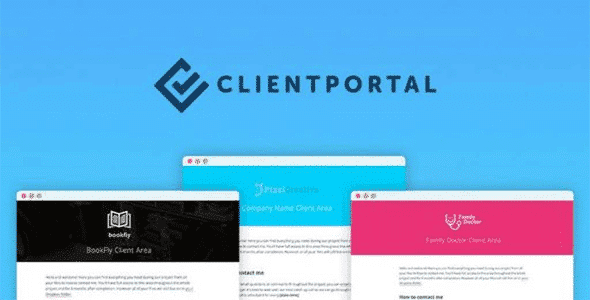
Overview of Client Portal
The **Client Portal** plugin transforms your WordPress website into a powerful, centralized hub for managing client projects with unparalleled ease and efficiency. Designed for freelancers, agencies, and businesses alike, this essential tool provides a secure, branded environment where you and your clients can collaborate, share files, track progress, and communicate seamlessly, all within your existing WordPress installation. Elevate your client management strategy with a dedicated **Client Portal** that streamlines every aspect of your project lifecycle.
Key Features of Client Portal
- Secure Client Access: Provide each client with a dedicated, secure login to their specific projects, ensuring privacy and personalized experience within your **Client Portal**.
- Project Management: Create, assign, and manage projects with detailed descriptions, deadlines, and progress tracking, giving you a clear overview of all ongoing work.
- File Sharing & Storage: Easily upload, share, and organize project-related files and documents directly within the **Client Portal**, eliminating the need for external file-sharing services.
- Task Management: Break down projects into manageable tasks, assign them to team members, set due dates, and monitor completion status, all visible to relevant stakeholders in the **Client Portal**.
- Real-time Communication: Facilitate direct and organized communication between you, your team, and clients through dedicated project comment sections, keeping conversations centralized and easy to track.
- Custom Branding: Personalize the appearance of your **Client Portal** to match your brand’s aesthetic, offering a professional and consistent experience for your clients.
- Notifications & Alerts: Keep everyone informed with automated notifications for new messages, file uploads, task updates, and project milestones within the **Client Portal**.
- User Role Management: Define specific permissions and access levels for different users (administrators, team members, clients) to control what they can see and do within the **Client Portal**.
Why Choose Client Portal?
Choosing the **Client Portal** for your WordPress site is a strategic decision that pays dividends in professionalism, efficiency, and client satisfaction. In today’s fast-paced digital landscape, providing a dedicated, branded space for client interaction not only streamlines your workflow but also significantly enhances your credibility. Imagine no more lost emails, scattered files, or confusing communication channels. With the **Client Portal**, everything related to a project is neatly organized and accessible in one secure location, making collaboration intuitive and stress-free for both you and your clients.
The value proposition of the **Client Portal** extends beyond mere organization; it’s about building stronger client relationships. By offering a transparent and professional platform, you empower your clients with real-time access to their project’s progress, fostering trust and reducing the need for constant updates. This plugin helps you present a polished, professional image, demonstrating your commitment to clear communication and excellent service. It’s an investment in your business’s future, ensuring that you can scale your operations without compromising on the quality of your client experience. Embrace the power of a dedicated **Client Portal** to transform how you manage projects and interact with your clientele.
Who Should Use Client Portal?
The **Client Portal** is an indispensable tool for a wide range of professionals and businesses. Freelancers, web design agencies, digital marketing firms, consultants, graphic designers, developers, and any service-based business that regularly manages client projects will find immense value in this plugin. If you’re looking to centralize client communication, streamline project workflows, securely share files, and provide a professional, branded experience, then the **Client Portal** is designed for you. It’s perfect for those who want to move beyond email chaos and provide a structured, efficient environment for client collaboration.
How to Install Client Portal
- Download the Plugin: After purchasing, download the **Client Portal** plugin file (.zip) from your account.
- Upload to WordPress: Log in to your WordPress admin dashboard. Navigate to ‘Plugins’ > ‘Add New’ > ‘Upload Plugin’. Choose the downloaded .zip file and click ‘Install Now’.
- Activate the Plugin: Once the installation is complete, click ‘Activate Plugin’. The **Client Portal** will now be active on your site.
- Initial Configuration: Go to the newly created ‘Client Portal’ menu item in your WordPress dashboard. Follow the setup wizard or navigate through the settings to configure your portal’s basic options, branding, and user roles.
- Create Your First Project: Begin by creating your first project and inviting a client or team member to experience the streamlined collaboration offered by the **Client Portal**.
Frequently Asked Questions About Client Portal
What exactly is a Client Portal?
A **Client Portal** is a secure, private section of your website where clients can log in to access specific information, files, tasks, and communications related to their projects. It acts as a centralized hub for all client-facing project management activities, offering a branded and organized environment for collaboration.
Can I customize the Client Portal to match my brand?
Absolutely! The **Client Portal** is designed with customization in mind. You can typically adjust colors, logos, and layouts to ensure the portal seamlessly integrates with your existing brand identity, providing a consistent and professional experience for your clients.
Is the Client Portal secure for sensitive client data?
Yes, security is a paramount feature of the **Client Portal**. It employs robust security measures, including secure login protocols and often user role management, to ensure that client data and project information remain private and accessible only to authorized individuals. Always ensure your WordPress installation itself is kept updated and secure.
Get Client Portal Today
Elevate your client management and project delivery with the powerful capabilities of the **Client Portal**. Stop juggling emails and scattered documents, and start providing a professional, organized, and transparent experience for every client. This essential **WordPress Plugin** is available now to transform your workflow. Explore the full range of WordPress Plugins and other high-quality GPL WordPress Products available on our store to further enhance your website’s functionality and performance. Invest in the **Client Portal** today and redefine client collaboration on your terms.
Related Products You May Like
Here's everything you need to know about your purchase:
- 100% original files — Every product is the genuine, virus-free file, exactly as released by the original developer.
- Instant download — Access your files immediately after purchase from your account.
- Lifetime access — Re-download your purchased files anytime. No expiry, no limits.
- Free updates — Newer version released? Just request an update from us, free for all customers.
- Dedicated support — Our team is available 24/7 for installation and file-related help.
- Easy refunds — Not satisfied? Review our Refund Policy. We offer a hassle-free 7-day guarantee.
$100.00 Original price was: $100.00.$2.00Current price is: $2.00.
Version
5.6.3
Last Updated
01/01/2026
License
GPL v2
Compatibility
WordPress 5.0+
Need latest version?
Newer version released? Request an update from us — free for all customers!
Request Update →🎁 Your Purchase Includes
Overview of Client Portal
The **Client Portal** plugin transforms your WordPress website into a powerful, centralized hub for managing client projects with unparalleled ease and efficiency. Designed for freelancers, agencies, and businesses alike, this essential tool provides a secure, branded environment where you and your clients can collaborate, share files, track progress, and communicate seamlessly, all within your existing WordPress installation. Elevate your client management strategy with a dedicated **Client Portal** that streamlines every aspect of your project lifecycle.
Key Features of Client Portal
- Secure Client Access: Provide each client with a dedicated, secure login to their specific projects, ensuring privacy and personalized experience within your **Client Portal**.
- Project Management: Create, assign, and manage projects with detailed descriptions, deadlines, and progress tracking, giving you a clear overview of all ongoing work.
- File Sharing & Storage: Easily upload, share, and organize project-related files and documents directly within the **Client Portal**, eliminating the need for external file-sharing services.
- Task Management: Break down projects into manageable tasks, assign them to team members, set due dates, and monitor completion status, all visible to relevant stakeholders in the **Client Portal**.
- Real-time Communication: Facilitate direct and organized communication between you, your team, and clients through dedicated project comment sections, keeping conversations centralized and easy to track.
- Custom Branding: Personalize the appearance of your **Client Portal** to match your brand’s aesthetic, offering a professional and consistent experience for your clients.
- Notifications & Alerts: Keep everyone informed with automated notifications for new messages, file uploads, task updates, and project milestones within the **Client Portal**.
- User Role Management: Define specific permissions and access levels for different users (administrators, team members, clients) to control what they can see and do within the **Client Portal**.
Why Choose Client Portal?
Choosing the **Client Portal** for your WordPress site is a strategic decision that pays dividends in professionalism, efficiency, and client satisfaction. In today’s fast-paced digital landscape, providing a dedicated, branded space for client interaction not only streamlines your workflow but also significantly enhances your credibility. Imagine no more lost emails, scattered files, or confusing communication channels. With the **Client Portal**, everything related to a project is neatly organized and accessible in one secure location, making collaboration intuitive and stress-free for both you and your clients.
The value proposition of the **Client Portal** extends beyond mere organization; it’s about building stronger client relationships. By offering a transparent and professional platform, you empower your clients with real-time access to their project’s progress, fostering trust and reducing the need for constant updates. This plugin helps you present a polished, professional image, demonstrating your commitment to clear communication and excellent service. It’s an investment in your business’s future, ensuring that you can scale your operations without compromising on the quality of your client experience. Embrace the power of a dedicated **Client Portal** to transform how you manage projects and interact with your clientele.
Who Should Use Client Portal?
The **Client Portal** is an indispensable tool for a wide range of professionals and businesses. Freelancers, web design agencies, digital marketing firms, consultants, graphic designers, developers, and any service-based business that regularly manages client projects will find immense value in this plugin. If you’re looking to centralize client communication, streamline project workflows, securely share files, and provide a professional, branded experience, then the **Client Portal** is designed for you. It’s perfect for those who want to move beyond email chaos and provide a structured, efficient environment for client collaboration.
How to Install Client Portal
- Download the Plugin: After purchasing, download the **Client Portal** plugin file (.zip) from your account.
- Upload to WordPress: Log in to your WordPress admin dashboard. Navigate to ‘Plugins’ > ‘Add New’ > ‘Upload Plugin’. Choose the downloaded .zip file and click ‘Install Now’.
- Activate the Plugin: Once the installation is complete, click ‘Activate Plugin’. The **Client Portal** will now be active on your site.
- Initial Configuration: Go to the newly created ‘Client Portal’ menu item in your WordPress dashboard. Follow the setup wizard or navigate through the settings to configure your portal’s basic options, branding, and user roles.
- Create Your First Project: Begin by creating your first project and inviting a client or team member to experience the streamlined collaboration offered by the **Client Portal**.
Frequently Asked Questions About Client Portal
What exactly is a Client Portal?
A **Client Portal** is a secure, private section of your website where clients can log in to access specific information, files, tasks, and communications related to their projects. It acts as a centralized hub for all client-facing project management activities, offering a branded and organized environment for collaboration.
Can I customize the Client Portal to match my brand?
Absolutely! The **Client Portal** is designed with customization in mind. You can typically adjust colors, logos, and layouts to ensure the portal seamlessly integrates with your existing brand identity, providing a consistent and professional experience for your clients.
Is the Client Portal secure for sensitive client data?
Yes, security is a paramount feature of the **Client Portal**. It employs robust security measures, including secure login protocols and often user role management, to ensure that client data and project information remain private and accessible only to authorized individuals. Always ensure your WordPress installation itself is kept updated and secure.
Get Client Portal Today
Elevate your client management and project delivery with the powerful capabilities of the **Client Portal**. Stop juggling emails and scattered documents, and start providing a professional, organized, and transparent experience for every client. This essential **WordPress Plugin** is available now to transform your workflow. Explore the full range of WordPress Plugins and other high-quality GPL WordPress Products available on our store to further enhance your website’s functionality and performance. Invest in the **Client Portal** today and redefine client collaboration on your terms.
Related Products You May Like
Reviews
There are no reviews yet.
Here's everything you need to know about your purchase:
- 100% original files — Every product is the genuine, virus-free file, exactly as released by the original developer.
- Instant download — Access your files immediately after purchase from your account.
- Lifetime access — Re-download your purchased files anytime. No expiry, no limits.
- Free updates — Newer version released? Just request an update from us, free for all customers.
- Dedicated support — Our team is available 24/7 for installation and file-related help.
- Easy refunds — Not satisfied? Review our Refund Policy. We offer a hassle-free 7-day guarantee.
Reviews
There are no reviews yet.