

BuddyPress Moderation Tools 1.5.2
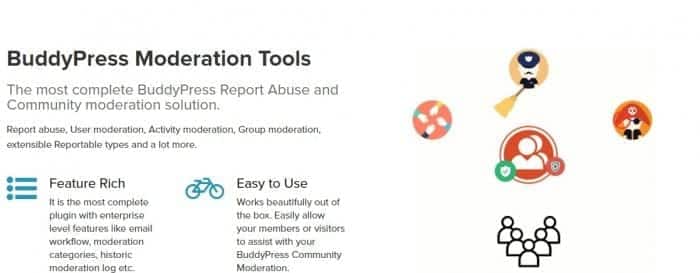
Overview of BuddyPress Moderation Tools
BuddyPress Moderation Tools is an essential plugin designed to empower community administrators with robust control over user-generated content within their BuddyPress networks. This powerful solution provides a comprehensive suite of features to manage and maintain a safe, respectful, and high-quality environment for all members. With BuddyPress Moderation Tools, you can effectively combat spam, inappropriate content, and user misconduct, ensuring your community thrives.
Key Features of BuddyPress Moderation Tools
- Report Content Functionality: Enable your community members to easily report inappropriate activities, posts, comments, or profiles directly to administrators, streamlining the moderation process.
- Admin Moderation Dashboard: Access a centralized dashboard where administrators can review all reported items, take action, and manage moderation queues efficiently, making BuddyPress Moderation Tools incredibly user-friendly.
- User Blocking & Suspension: Gain the ability to temporarily suspend or permanently block users who repeatedly violate community guidelines, maintaining order and preventing further disruptions.
- Content Hiding & Deletion: Quickly hide or delete reported content, including activity updates, forum posts, and private messages, directly from the moderation panel to keep your platform clean.
- Customizable Reporting Reasons: Configure predefined reasons for reporting content, allowing members to categorize issues accurately and providing administrators with better context for their decisions.
- Email Notifications for Admins: Receive instant email notifications whenever new content is reported, ensuring prompt attention and action from your moderation team.
- Moderation Logs: Keep a detailed log of all moderation actions taken, providing transparency and accountability for administrative decisions within BuddyPress Moderation Tools.
- IP Blocking: Prevent problematic users from re-registering or accessing your site by blocking specific IP addresses, enhancing the security and integrity of your BuddyPress community.
Why Choose BuddyPress Moderation Tools?
In today’s digital landscape, fostering a positive and safe online community is paramount. BuddyPress Moderation Tools offers the critical functionalities needed to achieve this, protecting your brand’s reputation and ensuring a pleasant experience for your users. Without effective moderation, online communities can quickly become overrun with spam, offensive content, or harassment, leading to user churn and a decline in engagement. By implementing BuddyPress Moderation Tools, you proactively address these challenges, empowering your administrative team with the instruments to maintain a healthy and vibrant social platform.
Investing in BuddyPress Moderation Tools means investing in the longevity and success of your BuddyPress network. It reduces the manual effort required for content policing, allowing administrators to focus on community growth and engagement rather than constant firefighting. The intuitive interface and comprehensive features mean that even large, active communities can be managed effectively, promoting a sense of security and belonging among members. Choosing BuddyPress Moderation Tools is a strategic decision for any BuddyPress site owner committed to building a thriving, well-regulated online space.
Who Should Use BuddyPress Moderation Tools?
BuddyPress Moderation Tools is an indispensable plugin for any website running a BuddyPress community, regardless of its size. It is ideal for social networks, membership sites, educational platforms, forums, and niche communities where user-generated content is prevalent. Site administrators, community managers, and content moderators will find BuddyPress Moderation Tools invaluable for enforcing guidelines, responding to reports, and ensuring a positive user experience. If you host user profiles, activity streams, groups, or forums, and want to maintain a clean, respectful, and engaging environment, then BuddyPress Moderation Tools is precisely what you need.
How to Install BuddyPress Moderation Tools
- Download the Plugin: After acquiring BuddyPress Moderation Tools, download the plugin zip file to your computer.
- Upload to WordPress: Log in to your WordPress admin dashboard. Navigate to ‘Plugins’ > ‘Add New’ and then click the ‘Upload Plugin’ button at the top.
- Choose File: Click ‘Choose File’, select the BuddyPress Moderation Tools zip file you downloaded, and then click ‘Install Now’.
- Activate the Plugin: Once the installation is complete, click the ‘Activate Plugin’ button. BuddyPress Moderation Tools will now be active on your site.
- Configure Settings: Go to the BuddyPress Moderation Tools settings in your WordPress admin area to customize moderation options, reporting reasons, and notification preferences to suit your community’s needs.
Frequently Asked Questions About BuddyPress Moderation Tools
Does BuddyPress Moderation Tools work with all BuddyPress components?
Yes, BuddyPress Moderation Tools is designed to integrate seamlessly with core BuddyPress components, including activity streams, groups, profiles, and private messaging, allowing for comprehensive moderation across your entire network.
Can I customize the reasons users can report content with BuddyPress Moderation Tools?
Absolutely! BuddyPress Moderation Tools allows administrators to define and customize the specific reasons users can select when reporting content, ensuring that the reporting system is tailored to your community’s unique guidelines and needs.
How do administrators get notified about new reports using BuddyPress Moderation Tools?
Administrators receive instant email notifications whenever new content is reported, prompting them to review and take action. Additionally, all reported items are conveniently listed in a dedicated moderation dashboard within your WordPress admin area for easy oversight.
Get BuddyPress Moderation Tools Today
Elevate your BuddyPress community management to the next level. Secure your site, foster a positive environment, and empower your moderation team with the advanced capabilities of BuddyPress Moderation Tools. This essential plugin is a cornerstone for any thriving online community. Explore this and many other premium WordPress Plugins available in our store. Don’t miss out on enhancing your website’s functionality and security with our vast selection of GPL WordPress Products.
Related Products You May Like
Here's everything you need to know about your purchase:
- 100% original files — Every product is the genuine, virus-free file, exactly as released by the original developer.
- Instant download — Access your files immediately after purchase from your account.
- Lifetime access — Re-download your purchased files anytime. No expiry, no limits.
- Free updates — Newer version released? Just request an update from us, free for all customers.
- Dedicated support — Our team is available 24/7 for installation and file-related help.
- Easy refunds — Not satisfied? Review our Refund Policy. We offer a hassle-free 7-day guarantee.
$59.00 Original price was: $59.00.$2.00Current price is: $2.00.
Version
1.5.2
Last Updated
25/2/2026
License
GPL v2
Compatibility
WordPress 5.0+
Need latest version?
Newer version released? Request an update from us — free for all customers!
Request Update →🎁 Your Purchase Includes
Overview of BuddyPress Moderation Tools
BuddyPress Moderation Tools is an essential plugin designed to empower community administrators with robust control over user-generated content within their BuddyPress networks. This powerful solution provides a comprehensive suite of features to manage and maintain a safe, respectful, and high-quality environment for all members. With BuddyPress Moderation Tools, you can effectively combat spam, inappropriate content, and user misconduct, ensuring your community thrives.
Key Features of BuddyPress Moderation Tools
- Report Content Functionality: Enable your community members to easily report inappropriate activities, posts, comments, or profiles directly to administrators, streamlining the moderation process.
- Admin Moderation Dashboard: Access a centralized dashboard where administrators can review all reported items, take action, and manage moderation queues efficiently, making BuddyPress Moderation Tools incredibly user-friendly.
- User Blocking & Suspension: Gain the ability to temporarily suspend or permanently block users who repeatedly violate community guidelines, maintaining order and preventing further disruptions.
- Content Hiding & Deletion: Quickly hide or delete reported content, including activity updates, forum posts, and private messages, directly from the moderation panel to keep your platform clean.
- Customizable Reporting Reasons: Configure predefined reasons for reporting content, allowing members to categorize issues accurately and providing administrators with better context for their decisions.
- Email Notifications for Admins: Receive instant email notifications whenever new content is reported, ensuring prompt attention and action from your moderation team.
- Moderation Logs: Keep a detailed log of all moderation actions taken, providing transparency and accountability for administrative decisions within BuddyPress Moderation Tools.
- IP Blocking: Prevent problematic users from re-registering or accessing your site by blocking specific IP addresses, enhancing the security and integrity of your BuddyPress community.
Why Choose BuddyPress Moderation Tools?
In today’s digital landscape, fostering a positive and safe online community is paramount. BuddyPress Moderation Tools offers the critical functionalities needed to achieve this, protecting your brand’s reputation and ensuring a pleasant experience for your users. Without effective moderation, online communities can quickly become overrun with spam, offensive content, or harassment, leading to user churn and a decline in engagement. By implementing BuddyPress Moderation Tools, you proactively address these challenges, empowering your administrative team with the instruments to maintain a healthy and vibrant social platform.
Investing in BuddyPress Moderation Tools means investing in the longevity and success of your BuddyPress network. It reduces the manual effort required for content policing, allowing administrators to focus on community growth and engagement rather than constant firefighting. The intuitive interface and comprehensive features mean that even large, active communities can be managed effectively, promoting a sense of security and belonging among members. Choosing BuddyPress Moderation Tools is a strategic decision for any BuddyPress site owner committed to building a thriving, well-regulated online space.
Who Should Use BuddyPress Moderation Tools?
BuddyPress Moderation Tools is an indispensable plugin for any website running a BuddyPress community, regardless of its size. It is ideal for social networks, membership sites, educational platforms, forums, and niche communities where user-generated content is prevalent. Site administrators, community managers, and content moderators will find BuddyPress Moderation Tools invaluable for enforcing guidelines, responding to reports, and ensuring a positive user experience. If you host user profiles, activity streams, groups, or forums, and want to maintain a clean, respectful, and engaging environment, then BuddyPress Moderation Tools is precisely what you need.
How to Install BuddyPress Moderation Tools
- Download the Plugin: After acquiring BuddyPress Moderation Tools, download the plugin zip file to your computer.
- Upload to WordPress: Log in to your WordPress admin dashboard. Navigate to ‘Plugins’ > ‘Add New’ and then click the ‘Upload Plugin’ button at the top.
- Choose File: Click ‘Choose File’, select the BuddyPress Moderation Tools zip file you downloaded, and then click ‘Install Now’.
- Activate the Plugin: Once the installation is complete, click the ‘Activate Plugin’ button. BuddyPress Moderation Tools will now be active on your site.
- Configure Settings: Go to the BuddyPress Moderation Tools settings in your WordPress admin area to customize moderation options, reporting reasons, and notification preferences to suit your community’s needs.
Frequently Asked Questions About BuddyPress Moderation Tools
Does BuddyPress Moderation Tools work with all BuddyPress components?
Yes, BuddyPress Moderation Tools is designed to integrate seamlessly with core BuddyPress components, including activity streams, groups, profiles, and private messaging, allowing for comprehensive moderation across your entire network.
Can I customize the reasons users can report content with BuddyPress Moderation Tools?
Absolutely! BuddyPress Moderation Tools allows administrators to define and customize the specific reasons users can select when reporting content, ensuring that the reporting system is tailored to your community’s unique guidelines and needs.
How do administrators get notified about new reports using BuddyPress Moderation Tools?
Administrators receive instant email notifications whenever new content is reported, prompting them to review and take action. Additionally, all reported items are conveniently listed in a dedicated moderation dashboard within your WordPress admin area for easy oversight.
Get BuddyPress Moderation Tools Today
Elevate your BuddyPress community management to the next level. Secure your site, foster a positive environment, and empower your moderation team with the advanced capabilities of BuddyPress Moderation Tools. This essential plugin is a cornerstone for any thriving online community. Explore this and many other premium WordPress Plugins available in our store. Don’t miss out on enhancing your website’s functionality and security with our vast selection of GPL WordPress Products.
Related Products You May Like
Reviews
There are no reviews yet.
Here's everything you need to know about your purchase:
- 100% original files — Every product is the genuine, virus-free file, exactly as released by the original developer.
- Instant download — Access your files immediately after purchase from your account.
- Lifetime access — Re-download your purchased files anytime. No expiry, no limits.
- Free updates — Newer version released? Just request an update from us, free for all customers.
- Dedicated support — Our team is available 24/7 for installation and file-related help.
- Easy refunds — Not satisfied? Review our Refund Policy. We offer a hassle-free 7-day guarantee.
Reviews
There are no reviews yet.