

BuddyPress Friendship Restrictions 1.1.6
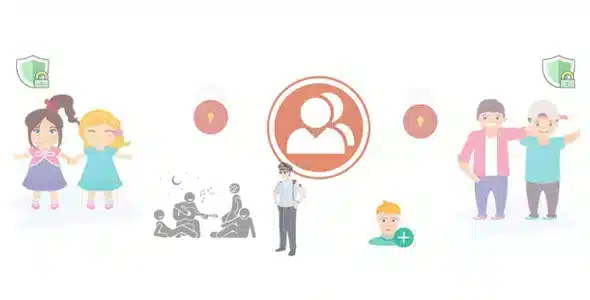
Overview of BuddyPress Friendship Restrictions
The BuddyPress Friendship Restrictions plugin empowers BuddyPress community administrators to finely control how users interact regarding friendships. This essential tool is designed for anyone running a social network or membership site built on BuddyPress, providing robust features to manage who can send and receive friend requests, thereby enhancing community quality and reducing unwanted interactions.
Key Features of BuddyPress Friendship Restrictions
- Role-Based Restrictions: Easily define which user roles are permitted to send or receive friend requests, allowing you to segment your community and ensure appropriate connections.
- Profile Field Conditions: Set up advanced rules based on BuddyPress profile fields, enabling restrictions for users who haven’t completed specific profile information or meet certain criteria.
- Global Friendship Settings: Implement overarching rules for your entire community, such as disabling friend requests globally or requiring mutual consent for all new friendships.
- Individual User Blocking: Give users the power to block specific members from sending them friend requests, offering a personalized layer of control over their social experience.
- Pending Request Limits: Configure limits on the number of pending friend requests a user can have at any given time, preventing spam and encouraging more meaningful connections.
- Customizable Restriction Messages: Personalize the messages users see when they are unable to send or receive friend requests due to your configured restrictions, maintaining a professional and informative user experience.
- Admin Override Capability: Administrators retain full control, with the ability to override any restriction settings for specific users when necessary, ensuring flexibility in community management.
- Seamless BuddyPress Integration: Works flawlessly within your existing BuddyPress setup, ensuring a smooth and conflict-free addition to your social network functionalities.
Why Choose BuddyPress Friendship Restrictions?
Choosing BuddyPress Friendship Restrictions is a strategic decision for any BuddyPress site owner committed to fostering a healthier, more controlled, and ultimately more enjoyable community environment. In today’s digital landscape, managing user interactions is paramount to preventing spam, harassment, and irrelevant connections. This plugin provides the precise tools needed to achieve just that, allowing you to define the boundaries of friendship, ensuring members connect with those who truly align with the community’s purpose.
The value of implementing BuddyPress Friendship Restrictions extends beyond just preventing unwanted requests. It significantly improves the overall user experience by reducing clutter in notification feeds and ensuring that friendship requests are more purposeful. By setting clear rules, you empower your community managers to maintain order effortlessly, freeing up time that would otherwise be spent manually dealing with inappropriate or unsolicited friend requests. It’s about creating a curated social space where quality interactions thrive.
Furthermore, the flexibility offered by BuddyPress Friendship Restrictions, from role-based settings to individual blocking capabilities, means you can tailor the system to perfectly fit your community’s unique needs. Whether you run a professional networking site, a niche hobby group, or an exclusive membership platform, this plugin provides the nuanced control required to shape the social dynamics effectively, making it an indispensable asset for serious BuddyPress administrators.
Who Should Use BuddyPress Friendship Restrictions?
BuddyPress Friendship Restrictions is ideal for BuddyPress community managers, social network administrators, membership site owners, and anyone running a WordPress site with BuddyPress installed who needs granular control over user-to-user friendship interactions. If you’re looking to reduce spam, enhance member privacy, ensure relevant connections, or simply provide a more structured social environment, this plugin is an essential addition to your toolkit.
How to Install BuddyPress Friendship Restrictions
- Download the Plugin: After acquiring BuddyPress Friendship Restrictions, download the plugin file in .zip format to your computer.
- Upload to WordPress: Log in to your WordPress admin dashboard. Navigate to ‘Plugins’ > ‘Add New’, then click the ‘Upload Plugin’ button at the top of the page. Choose the downloaded .zip file and click ‘Install Now’.
- Activate the Plugin: Once the plugin has been successfully installed, click the ‘Activate Plugin’ button.
- Configure Settings: After activation, you will find new settings for BuddyPress Friendship Restrictions under the BuddyPress or WordPress settings menus. Go through these options to configure your desired friendship restrictions.
- Test Functionality: It’s always a good practice to test the new restrictions with different user roles or test accounts to ensure they are working as intended across your community.
Frequently Asked Questions About BuddyPress Friendship Restrictions
What exactly does BuddyPress Friendship Restrictions do?
BuddyPress Friendship Restrictions allows site administrators to set rules and conditions for who can send and receive friend requests within their BuddyPress community. This includes restrictions based on user roles, profile field completeness, and even individual user blocking, helping to manage and improve the quality of social interactions.
Is BuddyPress Friendship Restrictions compatible with other BuddyPress add-ons?
Yes, BuddyPress Friendship Restrictions is designed to integrate seamlessly with standard BuddyPress installations and generally works well alongside most other BuddyPress add-ons and WordPress themes. However, as with any plugin, it’s always recommended to test compatibility within your specific site environment after installation.
Can I customize the messages users see when a friendship request is restricted?
Absolutely! One of the key features of BuddyPress Friendship Restrictions is the ability to customize the messages displayed to users when their ability to send or receive a friend request is limited by your settings. This allows you to provide clear and helpful information to your community members.
Get BuddyPress Friendship Restrictions Today
Take control of your BuddyPress community’s social dynamics and elevate the user experience. By implementing BuddyPress Friendship Restrictions, you ensure a more organized, respectful, and relevant networking environment for all your members. Explore this powerful solution and many other essential WordPress Plugins available. Enhance your site today with premium GPL WordPress Products and build a better community experience.
Related Products You May Like
Here's everything you need to know about your purchase:
- 100% original files — Every product is the genuine, virus-free file, exactly as released by the original developer.
- Instant download — Access your files immediately after purchase from your account.
- Lifetime access — Re-download your purchased files anytime. No expiry, no limits.
- Free updates — Newer version released? Just request an update from us, free for all customers.
- Dedicated support — Our team is available 24/7 for installation and file-related help.
- Easy refunds — Not satisfied? Review our Refund Policy. We offer a hassle-free 7-day guarantee.
$59.00 Original price was: $59.00.$2.00Current price is: $2.00.
Version
1.1.6
Last Updated
11/02/2024
License
GPL v2
Compatibility
WordPress 5.0+
Need latest version?
Newer version released? Request an update from us — free for all customers!
Request Update →🎁 Your Purchase Includes
Overview of BuddyPress Friendship Restrictions
The BuddyPress Friendship Restrictions plugin empowers BuddyPress community administrators to finely control how users interact regarding friendships. This essential tool is designed for anyone running a social network or membership site built on BuddyPress, providing robust features to manage who can send and receive friend requests, thereby enhancing community quality and reducing unwanted interactions.
Key Features of BuddyPress Friendship Restrictions
- Role-Based Restrictions: Easily define which user roles are permitted to send or receive friend requests, allowing you to segment your community and ensure appropriate connections.
- Profile Field Conditions: Set up advanced rules based on BuddyPress profile fields, enabling restrictions for users who haven’t completed specific profile information or meet certain criteria.
- Global Friendship Settings: Implement overarching rules for your entire community, such as disabling friend requests globally or requiring mutual consent for all new friendships.
- Individual User Blocking: Give users the power to block specific members from sending them friend requests, offering a personalized layer of control over their social experience.
- Pending Request Limits: Configure limits on the number of pending friend requests a user can have at any given time, preventing spam and encouraging more meaningful connections.
- Customizable Restriction Messages: Personalize the messages users see when they are unable to send or receive friend requests due to your configured restrictions, maintaining a professional and informative user experience.
- Admin Override Capability: Administrators retain full control, with the ability to override any restriction settings for specific users when necessary, ensuring flexibility in community management.
- Seamless BuddyPress Integration: Works flawlessly within your existing BuddyPress setup, ensuring a smooth and conflict-free addition to your social network functionalities.
Why Choose BuddyPress Friendship Restrictions?
Choosing BuddyPress Friendship Restrictions is a strategic decision for any BuddyPress site owner committed to fostering a healthier, more controlled, and ultimately more enjoyable community environment. In today’s digital landscape, managing user interactions is paramount to preventing spam, harassment, and irrelevant connections. This plugin provides the precise tools needed to achieve just that, allowing you to define the boundaries of friendship, ensuring members connect with those who truly align with the community’s purpose.
The value of implementing BuddyPress Friendship Restrictions extends beyond just preventing unwanted requests. It significantly improves the overall user experience by reducing clutter in notification feeds and ensuring that friendship requests are more purposeful. By setting clear rules, you empower your community managers to maintain order effortlessly, freeing up time that would otherwise be spent manually dealing with inappropriate or unsolicited friend requests. It’s about creating a curated social space where quality interactions thrive.
Furthermore, the flexibility offered by BuddyPress Friendship Restrictions, from role-based settings to individual blocking capabilities, means you can tailor the system to perfectly fit your community’s unique needs. Whether you run a professional networking site, a niche hobby group, or an exclusive membership platform, this plugin provides the nuanced control required to shape the social dynamics effectively, making it an indispensable asset for serious BuddyPress administrators.
Who Should Use BuddyPress Friendship Restrictions?
BuddyPress Friendship Restrictions is ideal for BuddyPress community managers, social network administrators, membership site owners, and anyone running a WordPress site with BuddyPress installed who needs granular control over user-to-user friendship interactions. If you’re looking to reduce spam, enhance member privacy, ensure relevant connections, or simply provide a more structured social environment, this plugin is an essential addition to your toolkit.
How to Install BuddyPress Friendship Restrictions
- Download the Plugin: After acquiring BuddyPress Friendship Restrictions, download the plugin file in .zip format to your computer.
- Upload to WordPress: Log in to your WordPress admin dashboard. Navigate to ‘Plugins’ > ‘Add New’, then click the ‘Upload Plugin’ button at the top of the page. Choose the downloaded .zip file and click ‘Install Now’.
- Activate the Plugin: Once the plugin has been successfully installed, click the ‘Activate Plugin’ button.
- Configure Settings: After activation, you will find new settings for BuddyPress Friendship Restrictions under the BuddyPress or WordPress settings menus. Go through these options to configure your desired friendship restrictions.
- Test Functionality: It’s always a good practice to test the new restrictions with different user roles or test accounts to ensure they are working as intended across your community.
Frequently Asked Questions About BuddyPress Friendship Restrictions
What exactly does BuddyPress Friendship Restrictions do?
BuddyPress Friendship Restrictions allows site administrators to set rules and conditions for who can send and receive friend requests within their BuddyPress community. This includes restrictions based on user roles, profile field completeness, and even individual user blocking, helping to manage and improve the quality of social interactions.
Is BuddyPress Friendship Restrictions compatible with other BuddyPress add-ons?
Yes, BuddyPress Friendship Restrictions is designed to integrate seamlessly with standard BuddyPress installations and generally works well alongside most other BuddyPress add-ons and WordPress themes. However, as with any plugin, it’s always recommended to test compatibility within your specific site environment after installation.
Can I customize the messages users see when a friendship request is restricted?
Absolutely! One of the key features of BuddyPress Friendship Restrictions is the ability to customize the messages displayed to users when their ability to send or receive a friend request is limited by your settings. This allows you to provide clear and helpful information to your community members.
Get BuddyPress Friendship Restrictions Today
Take control of your BuddyPress community’s social dynamics and elevate the user experience. By implementing BuddyPress Friendship Restrictions, you ensure a more organized, respectful, and relevant networking environment for all your members. Explore this powerful solution and many other essential WordPress Plugins available. Enhance your site today with premium GPL WordPress Products and build a better community experience.
Related Products You May Like
Reviews
There are no reviews yet.
Here's everything you need to know about your purchase:
- 100% original files — Every product is the genuine, virus-free file, exactly as released by the original developer.
- Instant download — Access your files immediately after purchase from your account.
- Lifetime access — Re-download your purchased files anytime. No expiry, no limits.
- Free updates — Newer version released? Just request an update from us, free for all customers.
- Dedicated support — Our team is available 24/7 for installation and file-related help.
- Easy refunds — Not satisfied? Review our Refund Policy. We offer a hassle-free 7-day guarantee.
Reviews
There are no reviews yet.