

BuddyPress Auto Join Groups 1.2.6
Overview of BuddyPress Auto Join Groups
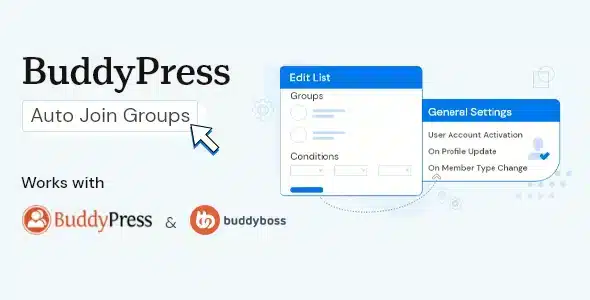
Streamline your BuddyPress community management with BuddyPress Auto Join Groups. This essential plugin empowers site administrators to automatically add new and existing users to specified BuddyPress groups upon registration or at any time. It’s the perfect solution for community managers, membership site owners, and anyone looking to foster a more integrated and engaged user base by ensuring members are instantly part of the relevant groups from day one.
Key Features of BuddyPress Auto Join Groups
- Automatic User Assignment: Effortlessly assign new users to one or multiple BuddyPress groups the moment they register, ensuring immediate integration into your community structure. BuddyPress Auto Join Groups simplifies onboarding for every member.
- Bulk Assign Existing Users: Don’t just cater to new sign-ups. This powerful feature allows you to retroactively add all existing users to selected groups with a single click, ideal for launching new community initiatives or restructuring existing ones.
- Selective Group Joining: Maintain granular control by choosing exactly which BuddyPress groups users will automatically join. This ensures relevance and prevents clutter, making BuddyPress Auto Join Groups incredibly flexible.
- Mandatory Group Membership: Establish core groups that all users must be a part of, fostering a unified community experience and ensuring everyone has access to vital information or discussions.
- User-Friendly Interface: Designed for ease of use, the plugin integrates seamlessly into your WordPress admin panel, making configuration and management of BuddyPress Auto Join Groups straightforward and intuitive.
- Boost Community Engagement: By automatically placing users in relevant groups, you encourage participation and interaction from the outset, leading to a more vibrant and active BuddyPress community.
- Time-Saving Automation: Eliminate the manual process of adding users to groups one by one. BuddyPress Auto Join Groups automates this tedious task, freeing up valuable administrative time.
- Supports All Group Types: Whether your groups are public, private, or hidden, BuddyPress Auto Join Groups works flawlessly to assign users according to your preferences.
Why Choose BuddyPress Auto Join Groups?
In today’s dynamic online communities, fostering immediate engagement and a sense of belonging is paramount. Choosing BuddyPress Auto Join Groups means opting for efficiency, control, and enhanced user experience. This plugin isn’t just about automation; it’s about strategically building a more cohesive and active community. By ensuring that every new member is instantly connected to the discussions and activities that matter most, you significantly reduce the initial barrier to participation. It helps members feel welcomed and informed from their very first login, encouraging them to dive deeper into your community.
Beyond new user onboarding, the ability to bulk assign existing users to groups is a game-changer for evolving communities. Launching a new initiative, restructuring your community, or simply wanting to ensure all members are part of a critical announcement group becomes incredibly simple. BuddyPress Auto Join Groups empowers administrators to manage their community with greater agility and less manual effort, directly translating into more time spent on fostering content and interaction rather than administrative tasks. It’s an investment in the health and growth of your BuddyPress platform.
Furthermore, the plugin’s seamless integration and intuitive interface mean you don’t need to be a developer to leverage its full potential. You gain precise control over which groups users join, allowing for tailored experiences based on membership levels, interests, or any other criteria you define. By simplifying group management, BuddyPress Auto Join Groups enhances the overall value proposition of your community, making it more appealing and easier to navigate for everyone involved.
Who Should Use BuddyPress Auto Join Groups?
BuddyPress Auto Join Groups is ideal for:
- Community Managers: Who want to ensure all new members are automatically placed in relevant groups to boost engagement.
- Membership Site Owners: Looking to streamline the onboarding process for their subscribers into exclusive or topic-specific groups.
- Online Course Platforms: That utilize BuddyPress groups for student discussions and wish to automatically enroll students in course-specific groups.
- Forum Administrators: Who want to guide new users to introductory or general discussion groups immediately upon registration.
- Website Owners with Large Communities: Seeking to reduce manual administrative tasks related to group management and improve user experience.
How to Install BuddyPress Auto Join Groups
- Download the Plugin: After purchasing, download the BuddyPress Auto Join Groups plugin file (a .zip archive) from your account.
- Upload to WordPress: Log in to your WordPress admin dashboard. Navigate to ‘Plugins’ > ‘Add New’ and then click ‘Upload Plugin’.
- Choose File and Install: Click ‘Choose File’, select the downloaded .zip file for BuddyPress Auto Join Groups, and then click ‘Install Now’.
- Activate the Plugin: Once the installation is complete, click ‘Activate Plugin’.
- Configure Settings: Go to ‘Settings’ or the relevant BuddyPress section in your admin menu to find the BuddyPress Auto Join Groups settings and configure your desired auto-join groups.
Frequently Asked Questions About BuddyPress Auto Join Groups
Can I choose multiple groups for users to auto-join?
Yes, BuddyPress Auto Join Groups allows you to select one or multiple BuddyPress groups that users will automatically join upon registration. This flexibility ensures you can cater to diverse community structures.
Does BuddyPress Auto Join Groups work for existing users?
Absolutely! One of the powerful features of BuddyPress Auto Join Groups is the ability to bulk assign all existing users to selected groups with a single action, making it perfect for retroactive group management.
Is BuddyPress Auto Join Groups compatible with all BuddyPress versions?
The plugin is designed to be highly compatible with the latest versions of BuddyPress and WordPress. We always recommend keeping your WordPress, BuddyPress, and all plugins, including BuddyPress Auto Join Groups, updated to ensure optimal performance and security.
Get BuddyPress Auto Join Groups Today
Elevate your BuddyPress community management and enhance user engagement with BuddyPress Auto Join Groups. This indispensable plugin streamlines the process of integrating new and existing members into your community’s groups, fostering a more connected and active environment. Stop wasting time on manual assignments and start enjoying the benefits of automated group management. Explore this and other essential WordPress Plugins to optimize your site. For a complete range of solutions, browse our extensive collection of GPL WordPress Products and empower your website today!
Related Products You May Like
Here's everything you need to know about your purchase:
- 100% original files — Every product is the genuine, virus-free file, exactly as released by the original developer.
- Instant download — Access your files immediately after purchase from your account.
- Lifetime access — Re-download your purchased files anytime. No expiry, no limits.
- Free updates — Newer version released? Just request an update from us, free for all customers.
- Dedicated support — Our team is available 24/7 for installation and file-related help.
- Easy refunds — Not satisfied? Review our Refund Policy. We offer a hassle-free 7-day guarantee.
$59.00 Original price was: $59.00.$2.00Current price is: $2.00.
Version
1.2.6
Last Updated
01/05/2025
License
GPL v2
Compatibility
WordPress 5.0+
Need latest version?
Newer version released? Request an update from us — free for all customers!
Request Update →🎁 Your Purchase Includes
Overview of BuddyPress Auto Join Groups
Streamline your BuddyPress community management with BuddyPress Auto Join Groups. This essential plugin empowers site administrators to automatically add new and existing users to specified BuddyPress groups upon registration or at any time. It’s the perfect solution for community managers, membership site owners, and anyone looking to foster a more integrated and engaged user base by ensuring members are instantly part of the relevant groups from day one.
Key Features of BuddyPress Auto Join Groups
- Automatic User Assignment: Effortlessly assign new users to one or multiple BuddyPress groups the moment they register, ensuring immediate integration into your community structure. BuddyPress Auto Join Groups simplifies onboarding for every member.
- Bulk Assign Existing Users: Don’t just cater to new sign-ups. This powerful feature allows you to retroactively add all existing users to selected groups with a single click, ideal for launching new community initiatives or restructuring existing ones.
- Selective Group Joining: Maintain granular control by choosing exactly which BuddyPress groups users will automatically join. This ensures relevance and prevents clutter, making BuddyPress Auto Join Groups incredibly flexible.
- Mandatory Group Membership: Establish core groups that all users must be a part of, fostering a unified community experience and ensuring everyone has access to vital information or discussions.
- User-Friendly Interface: Designed for ease of use, the plugin integrates seamlessly into your WordPress admin panel, making configuration and management of BuddyPress Auto Join Groups straightforward and intuitive.
- Boost Community Engagement: By automatically placing users in relevant groups, you encourage participation and interaction from the outset, leading to a more vibrant and active BuddyPress community.
- Time-Saving Automation: Eliminate the manual process of adding users to groups one by one. BuddyPress Auto Join Groups automates this tedious task, freeing up valuable administrative time.
- Supports All Group Types: Whether your groups are public, private, or hidden, BuddyPress Auto Join Groups works flawlessly to assign users according to your preferences.
Why Choose BuddyPress Auto Join Groups?
In today’s dynamic online communities, fostering immediate engagement and a sense of belonging is paramount. Choosing BuddyPress Auto Join Groups means opting for efficiency, control, and enhanced user experience. This plugin isn’t just about automation; it’s about strategically building a more cohesive and active community. By ensuring that every new member is instantly connected to the discussions and activities that matter most, you significantly reduce the initial barrier to participation. It helps members feel welcomed and informed from their very first login, encouraging them to dive deeper into your community.
Beyond new user onboarding, the ability to bulk assign existing users to groups is a game-changer for evolving communities. Launching a new initiative, restructuring your community, or simply wanting to ensure all members are part of a critical announcement group becomes incredibly simple. BuddyPress Auto Join Groups empowers administrators to manage their community with greater agility and less manual effort, directly translating into more time spent on fostering content and interaction rather than administrative tasks. It’s an investment in the health and growth of your BuddyPress platform.
Furthermore, the plugin’s seamless integration and intuitive interface mean you don’t need to be a developer to leverage its full potential. You gain precise control over which groups users join, allowing for tailored experiences based on membership levels, interests, or any other criteria you define. By simplifying group management, BuddyPress Auto Join Groups enhances the overall value proposition of your community, making it more appealing and easier to navigate for everyone involved.
Who Should Use BuddyPress Auto Join Groups?
BuddyPress Auto Join Groups is ideal for:
- Community Managers: Who want to ensure all new members are automatically placed in relevant groups to boost engagement.
- Membership Site Owners: Looking to streamline the onboarding process for their subscribers into exclusive or topic-specific groups.
- Online Course Platforms: That utilize BuddyPress groups for student discussions and wish to automatically enroll students in course-specific groups.
- Forum Administrators: Who want to guide new users to introductory or general discussion groups immediately upon registration.
- Website Owners with Large Communities: Seeking to reduce manual administrative tasks related to group management and improve user experience.
How to Install BuddyPress Auto Join Groups
- Download the Plugin: After purchasing, download the BuddyPress Auto Join Groups plugin file (a .zip archive) from your account.
- Upload to WordPress: Log in to your WordPress admin dashboard. Navigate to ‘Plugins’ > ‘Add New’ and then click ‘Upload Plugin’.
- Choose File and Install: Click ‘Choose File’, select the downloaded .zip file for BuddyPress Auto Join Groups, and then click ‘Install Now’.
- Activate the Plugin: Once the installation is complete, click ‘Activate Plugin’.
- Configure Settings: Go to ‘Settings’ or the relevant BuddyPress section in your admin menu to find the BuddyPress Auto Join Groups settings and configure your desired auto-join groups.
Frequently Asked Questions About BuddyPress Auto Join Groups
Can I choose multiple groups for users to auto-join?
Yes, BuddyPress Auto Join Groups allows you to select one or multiple BuddyPress groups that users will automatically join upon registration. This flexibility ensures you can cater to diverse community structures.
Does BuddyPress Auto Join Groups work for existing users?
Absolutely! One of the powerful features of BuddyPress Auto Join Groups is the ability to bulk assign all existing users to selected groups with a single action, making it perfect for retroactive group management.
Is BuddyPress Auto Join Groups compatible with all BuddyPress versions?
The plugin is designed to be highly compatible with the latest versions of BuddyPress and WordPress. We always recommend keeping your WordPress, BuddyPress, and all plugins, including BuddyPress Auto Join Groups, updated to ensure optimal performance and security.
Get BuddyPress Auto Join Groups Today
Elevate your BuddyPress community management and enhance user engagement with BuddyPress Auto Join Groups. This indispensable plugin streamlines the process of integrating new and existing members into your community’s groups, fostering a more connected and active environment. Stop wasting time on manual assignments and start enjoying the benefits of automated group management. Explore this and other essential WordPress Plugins to optimize your site. For a complete range of solutions, browse our extensive collection of GPL WordPress Products and empower your website today!
Related Products You May Like
Reviews
There are no reviews yet.
Here's everything you need to know about your purchase:
- 100% original files — Every product is the genuine, virus-free file, exactly as released by the original developer.
- Instant download — Access your files immediately after purchase from your account.
- Lifetime access — Re-download your purchased files anytime. No expiry, no limits.
- Free updates — Newer version released? Just request an update from us, free for all customers.
- Dedicated support — Our team is available 24/7 for installation and file-related help.
- Easy refunds — Not satisfied? Review our Refund Policy. We offer a hassle-free 7-day guarantee.
Reviews
There are no reviews yet.