

Bricksforge 3.1.8.5 – The Bricks Tools that feel native
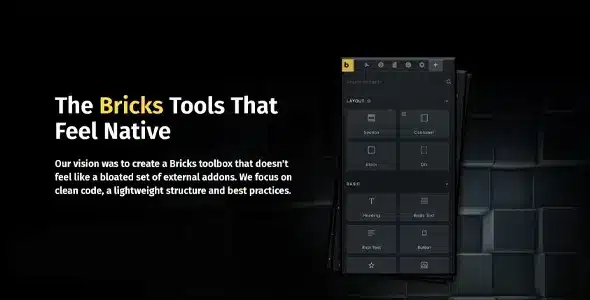
Overview of Bricksforge
Unlock the full potential of your Bricks Builder projects with Bricksforge, the ultimate suite of tools designed to seamlessly integrate and extend your design capabilities. Bricksforge empowers developers and designers alike to create highly dynamic, interactive, and sophisticated websites with a native Bricks Builder feel, elevating your workflow and final product.
Key Features of Bricksforge
- Advanced Form Builder: Go beyond standard forms with Bricksforge’s powerful form builder. Create complex multi-step forms, conditional logic forms, and integrate with various third-party services, all within the Bricks Builder interface.
- Dynamic Data & Conditions: Leverage Bricksforge to implement intricate conditional logic based on user roles, ACF fields, URL parameters, and more. Dynamically display or hide elements, sections, or even entire pages, offering a truly personalized user experience.
- Interactive Animations & Effects: Bring your designs to life with a rich library of animations and effects. Bricksforge allows you to add subtle or striking visual interactions, scroll-based animations, and custom transitions directly in Bricks.
- Custom User Roles & Capabilities: Take control of your site’s backend and frontend access. Bricksforge enables you to define custom user roles and granular capabilities, perfect for client projects or membership sites built with Bricks.
- Powerful Global Elements: Streamline your design process with enhanced global elements. Bricksforge extends the functionality of Bricks’ global templates, allowing for more dynamic and context-aware reusable components.
- Code Snippets & Extensions: For developers, Bricksforge offers a robust way to manage and inject custom code snippets, CSS, and JavaScript directly into your Bricks projects, maintaining a clean and organized codebase.
- Frontend Posting & Editing: Empower your clients or content creators with the ability to post and edit content directly from the frontend of your website, simplifying content management without needing backend access.
- Enhanced Query Loops: Supercharge your Bricks query loops with additional parameters and filtering options provided by Bricksforge, allowing for more precise and complex data displays.
Why Choose Bricksforge?
Choosing Bricksforge means choosing efficiency, power, and seamless integration for your Bricks Builder projects. This isn’t just another addon; it’s a comprehensive toolkit meticulously crafted to feel like an extension of Bricks itself. The intuitive interface ensures that even advanced functionalities are accessible, significantly reducing development time and effort. With Bricksforge, you can say goodbye to wrestling with multiple disjointed plugins or writing extensive custom code for common tasks. It centralizes essential tools, providing a cohesive environment for building sophisticated websites.
The value proposition of Bricksforge extends beyond just features; it’s about transforming your workflow. Imagine building complex forms, implementing dynamic content visibility, or adding stunning animations, all from within the familiar Bricks Builder interface. This level of integration not only speeds up your development cycle but also enhances the overall quality and maintainability of your sites. For agencies and freelancers, Bricksforge is an invaluable asset, enabling you to deliver more polished, functional, and interactive websites to your clients, setting you apart from the competition. Embrace the power of Bricksforge and elevate your web development standards.
Who Should Use Bricksforge?
Bricksforge is an essential tool for any web designer, developer, or agency that relies on Bricks Builder for creating WordPress websites. If you’re looking to push the boundaries of what’s possible with Bricks, add advanced functionalities without bloating your site, or simply streamline your development process, then Bricksforge is for you. It’s particularly beneficial for those building dynamic websites, membership sites, custom applications, or any project requiring intricate conditional logic and enhanced user interactions.
How to Install Bricksforge
- Download Bricksforge: After acquiring Bricksforge, download the plugin .zip file to your computer.
- Upload Plugin: Log in to your WordPress dashboard. Navigate to ‘Plugins’ > ‘Add New’ and then click the ‘Upload Plugin’ button at the top of the page.
- Choose File: Click ‘Choose File’ and select the Bricksforge .zip file you downloaded earlier. Click ‘Install Now’.
- Activate Plugin: Once the installation is complete, click ‘Activate Plugin’.
- Configure Bricksforge: After activation, you will find new settings and elements related to Bricksforge within your Bricks Builder interface and WordPress dashboard to begin configuring its powerful features.
Frequently Asked Questions About Bricksforge
Is Bricksforge compatible with the latest version of Bricks Builder?
Yes, Bricksforge is consistently updated to ensure full compatibility with the latest versions of Bricks Builder. Our commitment is to provide a seamless experience, allowing you to leverage new Bricks features alongside the powerful tools offered by Bricksforge without conflict.
Can Bricksforge help with custom post types and ACF integration?
Absolutely! Bricksforge significantly enhances the way you work with custom post types and Advanced Custom Fields (ACF). It provides advanced dynamic data capabilities and conditional logic options that make integrating and displaying custom field data far more intuitive and powerful within Bricks Builder.
Does Bricksforge offer performance optimization?
Bricksforge is developed with performance in mind. While it adds extensive functionality, the tools are optimized to integrate efficiently with Bricks Builder. By centralizing features that might otherwise require multiple plugins, Bricksforge can contribute to a leaner, more performant website compared to a fragmented solution.
Get Bricksforge Today
Ready to supercharge your Bricks Builder workflow and create truly exceptional websites? Don’t miss out on the incredible capabilities that Bricksforge brings to the table. Elevate your design and development process, deliver more dynamic projects, and save countless hours with this indispensable toolkit. Explore Bricksforge and other premium WordPress Plugins and GPL WordPress Products to empower your web presence today!
Related Products You May Like
Here's everything you need to know about your purchase:
- 100% original files — Every product is the genuine, virus-free file, exactly as released by the original developer.
- Instant download — Access your files immediately after purchase from your account.
- Lifetime access — Re-download your purchased files anytime. No expiry, no limits.
- Free updates — Newer version released? Just request an update from us, free for all customers.
- Dedicated support — Our team is available 24/7 for installation and file-related help.
- Easy refunds — Not satisfied? Review our Refund Policy. We offer a hassle-free 7-day guarantee.
$100.00 Original price was: $100.00.$2.00Current price is: $2.00.
Version
3.1.8.5
Last Updated
03/03/2026
License
GPL v2
Compatibility
WordPress 5.0+
Need latest version?
Newer version released? Request an update from us — free for all customers!
Request Update →🎁 Your Purchase Includes
Overview of Bricksforge
Unlock the full potential of your Bricks Builder projects with Bricksforge, the ultimate suite of tools designed to seamlessly integrate and extend your design capabilities. Bricksforge empowers developers and designers alike to create highly dynamic, interactive, and sophisticated websites with a native Bricks Builder feel, elevating your workflow and final product.
Key Features of Bricksforge
- Advanced Form Builder: Go beyond standard forms with Bricksforge’s powerful form builder. Create complex multi-step forms, conditional logic forms, and integrate with various third-party services, all within the Bricks Builder interface.
- Dynamic Data & Conditions: Leverage Bricksforge to implement intricate conditional logic based on user roles, ACF fields, URL parameters, and more. Dynamically display or hide elements, sections, or even entire pages, offering a truly personalized user experience.
- Interactive Animations & Effects: Bring your designs to life with a rich library of animations and effects. Bricksforge allows you to add subtle or striking visual interactions, scroll-based animations, and custom transitions directly in Bricks.
- Custom User Roles & Capabilities: Take control of your site’s backend and frontend access. Bricksforge enables you to define custom user roles and granular capabilities, perfect for client projects or membership sites built with Bricks.
- Powerful Global Elements: Streamline your design process with enhanced global elements. Bricksforge extends the functionality of Bricks’ global templates, allowing for more dynamic and context-aware reusable components.
- Code Snippets & Extensions: For developers, Bricksforge offers a robust way to manage and inject custom code snippets, CSS, and JavaScript directly into your Bricks projects, maintaining a clean and organized codebase.
- Frontend Posting & Editing: Empower your clients or content creators with the ability to post and edit content directly from the frontend of your website, simplifying content management without needing backend access.
- Enhanced Query Loops: Supercharge your Bricks query loops with additional parameters and filtering options provided by Bricksforge, allowing for more precise and complex data displays.
Why Choose Bricksforge?
Choosing Bricksforge means choosing efficiency, power, and seamless integration for your Bricks Builder projects. This isn’t just another addon; it’s a comprehensive toolkit meticulously crafted to feel like an extension of Bricks itself. The intuitive interface ensures that even advanced functionalities are accessible, significantly reducing development time and effort. With Bricksforge, you can say goodbye to wrestling with multiple disjointed plugins or writing extensive custom code for common tasks. It centralizes essential tools, providing a cohesive environment for building sophisticated websites.
The value proposition of Bricksforge extends beyond just features; it’s about transforming your workflow. Imagine building complex forms, implementing dynamic content visibility, or adding stunning animations, all from within the familiar Bricks Builder interface. This level of integration not only speeds up your development cycle but also enhances the overall quality and maintainability of your sites. For agencies and freelancers, Bricksforge is an invaluable asset, enabling you to deliver more polished, functional, and interactive websites to your clients, setting you apart from the competition. Embrace the power of Bricksforge and elevate your web development standards.
Who Should Use Bricksforge?
Bricksforge is an essential tool for any web designer, developer, or agency that relies on Bricks Builder for creating WordPress websites. If you’re looking to push the boundaries of what’s possible with Bricks, add advanced functionalities without bloating your site, or simply streamline your development process, then Bricksforge is for you. It’s particularly beneficial for those building dynamic websites, membership sites, custom applications, or any project requiring intricate conditional logic and enhanced user interactions.
How to Install Bricksforge
- Download Bricksforge: After acquiring Bricksforge, download the plugin .zip file to your computer.
- Upload Plugin: Log in to your WordPress dashboard. Navigate to ‘Plugins’ > ‘Add New’ and then click the ‘Upload Plugin’ button at the top of the page.
- Choose File: Click ‘Choose File’ and select the Bricksforge .zip file you downloaded earlier. Click ‘Install Now’.
- Activate Plugin: Once the installation is complete, click ‘Activate Plugin’.
- Configure Bricksforge: After activation, you will find new settings and elements related to Bricksforge within your Bricks Builder interface and WordPress dashboard to begin configuring its powerful features.
Frequently Asked Questions About Bricksforge
Is Bricksforge compatible with the latest version of Bricks Builder?
Yes, Bricksforge is consistently updated to ensure full compatibility with the latest versions of Bricks Builder. Our commitment is to provide a seamless experience, allowing you to leverage new Bricks features alongside the powerful tools offered by Bricksforge without conflict.
Can Bricksforge help with custom post types and ACF integration?
Absolutely! Bricksforge significantly enhances the way you work with custom post types and Advanced Custom Fields (ACF). It provides advanced dynamic data capabilities and conditional logic options that make integrating and displaying custom field data far more intuitive and powerful within Bricks Builder.
Does Bricksforge offer performance optimization?
Bricksforge is developed with performance in mind. While it adds extensive functionality, the tools are optimized to integrate efficiently with Bricks Builder. By centralizing features that might otherwise require multiple plugins, Bricksforge can contribute to a leaner, more performant website compared to a fragmented solution.
Get Bricksforge Today
Ready to supercharge your Bricks Builder workflow and create truly exceptional websites? Don’t miss out on the incredible capabilities that Bricksforge brings to the table. Elevate your design and development process, deliver more dynamic projects, and save countless hours with this indispensable toolkit. Explore Bricksforge and other premium WordPress Plugins and GPL WordPress Products to empower your web presence today!
Related Products You May Like
Reviews
There are no reviews yet.
Here's everything you need to know about your purchase:
- 100% original files — Every product is the genuine, virus-free file, exactly as released by the original developer.
- Instant download — Access your files immediately after purchase from your account.
- Lifetime access — Re-download your purchased files anytime. No expiry, no limits.
- Free updates — Newer version released? Just request an update from us, free for all customers.
- Dedicated support — Our team is available 24/7 for installation and file-related help.
- Easy refunds — Not satisfied? Review our Refund Policy. We offer a hassle-free 7-day guarantee.
Reviews
There are no reviews yet.