

GDPR Solution Bookly Customer Cabinet Add-on 6.8
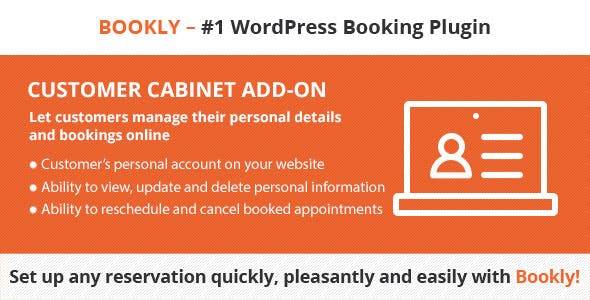
Overview of Bookly Customer Cabinet Add-on
The Bookly Customer Cabinet Add-on is an essential extension designed to empower your clients with a personalized, self-service portal directly on your WordPress website. This powerful add-on transforms the client experience by allowing them to manage their appointments, view booking history, and update personal information with ease, significantly reducing administrative overhead for your business.
Key Features of Bookly Customer Cabinet Add-on
- Personalized Client Dashboard: Provide each customer with their own secure cabinet where they can log in to access all their relevant information. The Bookly Customer Cabinet Add-on ensures a tailored experience for every user.
- Effortless Appointment Management: Clients can easily view their upcoming and past appointments, reschedule existing bookings, or cancel appointments directly from their cabinet, giving them complete control over their schedule.
- Detailed Booking History: Customers can review their entire booking history, including services booked, dates, times, and payment statuses, fostering transparency and trust.
- Profile Information Updates: Allow clients to update their personal details, such as name, email, phone number, and password, ensuring your customer database remains accurate and up-to-date.
- GDPR Compliance Tools: The Bookly Customer Cabinet Add-on is built with privacy in mind, offering features that help businesses comply with GDPR regulations, including data access and deletion requests.
- Customizable Interface: Tailor the look and feel of the customer cabinet to match your brand’s aesthetics, ensuring a seamless and professional user experience for your clients.
- Integrated with Bookly Core: Works flawlessly with your existing Bookly PRO plugin, extending its functionality without complex configurations. The Bookly Customer Cabinet Add-on enhances your current setup.
- Mobile-Friendly Design: The customer cabinet is fully responsive, providing an optimal viewing and interaction experience across all devices, from desktops to smartphones and tablets.
Why Choose Bookly Customer Cabinet Add-on?
Choosing the Bookly Customer Cabinet Add-on means investing in superior client satisfaction and operational efficiency for your business. By providing a dedicated space for clients to manage their interactions with your services, you not only enhance their experience but also free up valuable staff time previously spent on administrative tasks like rescheduling or answering booking inquiries. This add-on is a game-changer for any service-based business using Bookly, allowing you to streamline operations and focus on what you do best.
Furthermore, the Bookly Customer Cabinet Add-on strengthens customer loyalty by offering transparency and convenience. When clients feel empowered and in control of their bookings, they are more likely to return. It’s an indispensable tool for fostering a professional image and demonstrating a commitment to excellent customer service. Businesses looking to leverage the full power of their Bookly appointment system will find this add-on to be an invaluable asset, driving engagement and reducing no-shows.
For those managing a robust online presence, integrating the Bookly Customer Cabinet Add-on into your WordPress site is a strategic move. It integrates seamlessly with your existing Bookly setup, ensuring a smooth transition and minimal setup time. This add-on truly elevates your Bookly experience, making it more robust and user-friendly for both your team and your clientele.
Who Should Use Bookly Customer Cabinet Add-on?
The Bookly Customer Cabinet Add-on is ideal for any business that relies on the Bookly appointment booking system and seeks to improve client self-service and operational efficiency. This includes salons, spas, clinics, consulting firms, fitness studios, educational institutions, and any other service provider looking to offer a premium, personalized experience to their customers. If you want to reduce admin tasks and empower your clients, the Bookly Customer Cabinet Add-on is for you.
How to Install Bookly Customer Cabinet Add-on
- Purchase and Download: After acquiring the Bookly Customer Cabinet Add-on, download the plugin zip file from your account on our website. Ensure you have the Bookly PRO plugin already installed and activated on your WordPress site.
- Upload via WordPress Dashboard: Log in to your WordPress admin area. Navigate to ‘Plugins’ > ‘Add New’ and then click the ‘Upload Plugin’ button at the top of the page. Choose the downloaded zip file for the Bookly Customer Cabinet Add-on and click ‘Install Now’.
- Activate the Add-on: Once the installation is complete, you will see an option to ‘Activate Plugin’. Click this button to enable the Bookly Customer Cabinet Add-on on your website.
- Configure Settings: After activation, go to the Bookly menu in your WordPress dashboard. You will find new settings related to the Customer Cabinet. Configure the options to suit your preferences, such as page assignment for the cabinet and display settings.
- Test Functionality: Create a test user account and make a sample booking to ensure the Bookly Customer Cabinet Add-on is working correctly and clients can access and manage their appointments as expected.
Frequently Asked Questions About Bookly Customer Cabinet Add-on
Does the Bookly Customer Cabinet Add-on require Bookly PRO?
Yes, the Bookly Customer Cabinet Add-on is an extension designed to work specifically with the Bookly PRO plugin. You must have Bookly PRO installed and activated on your WordPress site for this add-on to function correctly and provide its full range of features.
Can I customize the appearance of the customer cabinet?
Absolutely! The Bookly Customer Cabinet Add-on offers various customization options to help you match its appearance with your website’s design and branding. You can typically adjust colors, fonts, and layout settings from the Bookly settings within your WordPress dashboard.
What specific GDPR features does the Bookly Customer Cabinet Add-on provide?
The Bookly Customer Cabinet Add-on includes features that aid in GDPR compliance by allowing customers to access their personal data stored within your Bookly system, request data correction, and even initiate a request for data deletion. This empowers clients with control over their information.
Get Bookly Customer Cabinet Add-on Today
Elevate your customer service and streamline your appointment management with the powerful Bookly Customer Cabinet Add-on. Provide your clients with the convenience and control they deserve, all while reducing your administrative workload. Explore this and many other premium WordPress Plugins available in our collection. Discover a wide array of GPL WordPress Products to enhance your website’s functionality and user experience.
Related Products You May Like
Here's everything you need to know about your purchase:
- 100% original files — Every product is the genuine, virus-free file, exactly as released by the original developer.
- Instant download — Access your files immediately after purchase from your account.
- Lifetime access — Re-download your purchased files anytime. No expiry, no limits.
- Free updates — Newer version released? Just request an update from us, free for all customers.
- Dedicated support — Our team is available 24/7 for installation and file-related help.
- Easy refunds — Not satisfied? Review our Refund Policy. We offer a hassle-free 7-day guarantee.
$100.00 Original price was: $100.00.$2.00Current price is: $2.00.
Version
6.8
Last Updated
09/06/2026
License
GPL v2
Compatibility
WordPress 5.0+
Need latest version?
Newer version released? Request an update from us — free for all customers!
Request Update →🎁 Your Purchase Includes
Overview of Bookly Customer Cabinet Add-on
The Bookly Customer Cabinet Add-on is an essential extension designed to empower your clients with a personalized, self-service portal directly on your WordPress website. This powerful add-on transforms the client experience by allowing them to manage their appointments, view booking history, and update personal information with ease, significantly reducing administrative overhead for your business.
Key Features of Bookly Customer Cabinet Add-on
- Personalized Client Dashboard: Provide each customer with their own secure cabinet where they can log in to access all their relevant information. The Bookly Customer Cabinet Add-on ensures a tailored experience for every user.
- Effortless Appointment Management: Clients can easily view their upcoming and past appointments, reschedule existing bookings, or cancel appointments directly from their cabinet, giving them complete control over their schedule.
- Detailed Booking History: Customers can review their entire booking history, including services booked, dates, times, and payment statuses, fostering transparency and trust.
- Profile Information Updates: Allow clients to update their personal details, such as name, email, phone number, and password, ensuring your customer database remains accurate and up-to-date.
- GDPR Compliance Tools: The Bookly Customer Cabinet Add-on is built with privacy in mind, offering features that help businesses comply with GDPR regulations, including data access and deletion requests.
- Customizable Interface: Tailor the look and feel of the customer cabinet to match your brand’s aesthetics, ensuring a seamless and professional user experience for your clients.
- Integrated with Bookly Core: Works flawlessly with your existing Bookly PRO plugin, extending its functionality without complex configurations. The Bookly Customer Cabinet Add-on enhances your current setup.
- Mobile-Friendly Design: The customer cabinet is fully responsive, providing an optimal viewing and interaction experience across all devices, from desktops to smartphones and tablets.
Why Choose Bookly Customer Cabinet Add-on?
Choosing the Bookly Customer Cabinet Add-on means investing in superior client satisfaction and operational efficiency for your business. By providing a dedicated space for clients to manage their interactions with your services, you not only enhance their experience but also free up valuable staff time previously spent on administrative tasks like rescheduling or answering booking inquiries. This add-on is a game-changer for any service-based business using Bookly, allowing you to streamline operations and focus on what you do best.
Furthermore, the Bookly Customer Cabinet Add-on strengthens customer loyalty by offering transparency and convenience. When clients feel empowered and in control of their bookings, they are more likely to return. It’s an indispensable tool for fostering a professional image and demonstrating a commitment to excellent customer service. Businesses looking to leverage the full power of their Bookly appointment system will find this add-on to be an invaluable asset, driving engagement and reducing no-shows.
For those managing a robust online presence, integrating the Bookly Customer Cabinet Add-on into your WordPress site is a strategic move. It integrates seamlessly with your existing Bookly setup, ensuring a smooth transition and minimal setup time. This add-on truly elevates your Bookly experience, making it more robust and user-friendly for both your team and your clientele.
Who Should Use Bookly Customer Cabinet Add-on?
The Bookly Customer Cabinet Add-on is ideal for any business that relies on the Bookly appointment booking system and seeks to improve client self-service and operational efficiency. This includes salons, spas, clinics, consulting firms, fitness studios, educational institutions, and any other service provider looking to offer a premium, personalized experience to their customers. If you want to reduce admin tasks and empower your clients, the Bookly Customer Cabinet Add-on is for you.
How to Install Bookly Customer Cabinet Add-on
- Purchase and Download: After acquiring the Bookly Customer Cabinet Add-on, download the plugin zip file from your account on our website. Ensure you have the Bookly PRO plugin already installed and activated on your WordPress site.
- Upload via WordPress Dashboard: Log in to your WordPress admin area. Navigate to ‘Plugins’ > ‘Add New’ and then click the ‘Upload Plugin’ button at the top of the page. Choose the downloaded zip file for the Bookly Customer Cabinet Add-on and click ‘Install Now’.
- Activate the Add-on: Once the installation is complete, you will see an option to ‘Activate Plugin’. Click this button to enable the Bookly Customer Cabinet Add-on on your website.
- Configure Settings: After activation, go to the Bookly menu in your WordPress dashboard. You will find new settings related to the Customer Cabinet. Configure the options to suit your preferences, such as page assignment for the cabinet and display settings.
- Test Functionality: Create a test user account and make a sample booking to ensure the Bookly Customer Cabinet Add-on is working correctly and clients can access and manage their appointments as expected.
Frequently Asked Questions About Bookly Customer Cabinet Add-on
Does the Bookly Customer Cabinet Add-on require Bookly PRO?
Yes, the Bookly Customer Cabinet Add-on is an extension designed to work specifically with the Bookly PRO plugin. You must have Bookly PRO installed and activated on your WordPress site for this add-on to function correctly and provide its full range of features.
Can I customize the appearance of the customer cabinet?
Absolutely! The Bookly Customer Cabinet Add-on offers various customization options to help you match its appearance with your website’s design and branding. You can typically adjust colors, fonts, and layout settings from the Bookly settings within your WordPress dashboard.
What specific GDPR features does the Bookly Customer Cabinet Add-on provide?
The Bookly Customer Cabinet Add-on includes features that aid in GDPR compliance by allowing customers to access their personal data stored within your Bookly system, request data correction, and even initiate a request for data deletion. This empowers clients with control over their information.
Get Bookly Customer Cabinet Add-on Today
Elevate your customer service and streamline your appointment management with the powerful Bookly Customer Cabinet Add-on. Provide your clients with the convenience and control they deserve, all while reducing your administrative workload. Explore this and many other premium WordPress Plugins available in our collection. Discover a wide array of GPL WordPress Products to enhance your website’s functionality and user experience.
Related Products You May Like
Reviews
There are no reviews yet.
Here's everything you need to know about your purchase:
- 100% original files — Every product is the genuine, virus-free file, exactly as released by the original developer.
- Instant download — Access your files immediately after purchase from your account.
- Lifetime access — Re-download your purchased files anytime. No expiry, no limits.
- Free updates — Newer version released? Just request an update from us, free for all customers.
- Dedicated support — Our team is available 24/7 for installation and file-related help.
- Easy refunds — Not satisfied? Review our Refund Policy. We offer a hassle-free 7-day guarantee.
Reviews
There are no reviews yet.