

BMA 1.7.8 – WordPress Appointment Booking Plugin for Enterprise
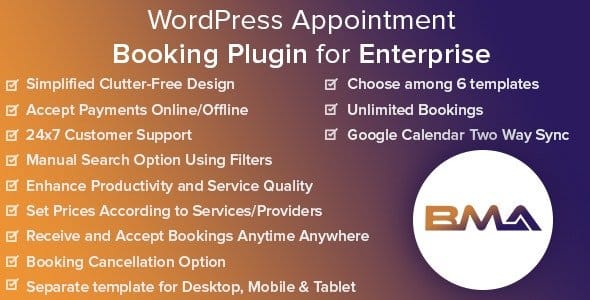
Overview of BMA
Introducing BMA, the ultimate WordPress Appointment Booking Plugin designed specifically for enterprise-level businesses. This robust solution empowers large organizations to seamlessly manage their booking schedules, client appointments, and service offerings directly within their WordPress website. BMA transforms complex scheduling challenges into a streamlined, efficient process, ensuring optimal resource allocation and an enhanced client experience.
Key Features of BMA
- Advanced Booking Calendar: BMA offers a highly customizable and intuitive calendar interface for both administrators and clients, allowing for easy navigation, booking, and management of appointments across multiple services and staff members.
- Multi-Service & Staff Management: Efficiently manage an extensive range of services and an unlimited number of staff members. Assign services to specific employees, set individual working hours, and optimize staff utilization with BMA.
- Customizable Booking Forms: Tailor booking forms with custom fields to collect all necessary client information. BMA provides flexibility to adapt forms to your specific business needs, improving data collection and client onboarding.
- Automated Notifications & Reminders: Reduce no-shows and improve client communication with automated email and SMS notifications for bookings, confirmations, changes, and reminders. BMA keeps everyone informed effortlessly.
- Payment Gateway Integration: Securely process payments for services directly through your website. BMA integrates with popular payment gateways, offering a smooth and convenient transaction experience for your clients.
- Detailed Reporting & Analytics: Gain valuable insights into your booking trends, staff performance, and service popularity with comprehensive reports. BMA helps you make data-driven decisions to optimize your operations.
- Client Management System: Maintain a centralized database of all your clients, their booking history, and preferences. BMA simplifies client relationship management, allowing for personalized service and targeted communication.
- Flexible Scheduling Rules: Define complex scheduling rules, including buffer times, minimum booking lead times, maximum bookings per day, and holiday exceptions. BMA adapts to your unique operational requirements.
Why Choose BMA?
Choosing BMA means investing in efficiency, scalability, and an unparalleled user experience for your enterprise. Unlike generic booking plugins, BMA is engineered with the robust capabilities required by large organizations, offering a comprehensive suite of tools that go beyond simple scheduling. Its intuitive design ensures that both your team and your clients can navigate the booking process with ease, reducing administrative overhead and freeing up valuable resources for more strategic tasks. With BMA, you’re not just getting a plugin; you’re gaining a strategic partner in managing your most critical asset: time.
The flexibility and customization options within BMA are unmatched. Whether you operate a large medical practice, a consulting firm with numerous experts, or a professional service provider with multiple locations, BMA can be configured to meet your exact specifications. This adaptability ensures that the plugin grows with your business, supporting new services, staff, and operational models without requiring complex workarounds. Furthermore, the detailed reporting features empower you to identify bottlenecks, measure success, and continually refine your service delivery, making BMA an indispensable tool for continuous improvement.
Security and reliability are paramount for enterprise solutions, and BMA delivers on both fronts. Built with best practices in mind, it provides a secure environment for sensitive client data and ensures consistent performance even under high traffic. By integrating BMA into your WordPress site, you enhance your brand’s professionalism, improve client satisfaction through seamless interactions, and ultimately drive greater business success. It’s the smart choice for any enterprise looking to master their appointment booking process.
Who Should Use BMA?
BMA is ideal for large businesses, enterprises, and organizations across various sectors that require a powerful, scalable, and highly customizable appointment booking system. This includes, but is not limited to, large healthcare providers, clinics, law firms, consulting agencies, educational institutions, government services, large salons and spas, and any professional service business with multiple staff members and complex scheduling needs. If your organization demands precision, efficiency, and a superior client booking experience, BMA is designed for you.
How to Install BMA
- Download BMA: After purchase from GPLUniverse, download the BMA plugin zip file to your computer.
- Upload to WordPress: Log in to your WordPress admin dashboard, navigate to ‘Plugins’ > ‘Add New’, then click ‘Upload Plugin’. Choose the BMA zip file you downloaded and click ‘Install Now’.
- Activate the Plugin: Once the plugin is installed, click ‘Activate Plugin’. BMA will now be active on your website.
- Configure Settings: Go to the new ‘BMA’ menu item in your WordPress dashboard. Here you can configure general settings, add services, staff members, set up payment gateways, and customize your booking forms.
- Integrate into Pages: Use the provided shortcodes or Gutenberg blocks to display your BMA booking forms on any page or post on your website, making it accessible to your clients.
Frequently Asked Questions About BMA
Can BMA handle multiple locations for my business?
Yes, BMA is designed with enterprise scalability in mind. While its core functionality is robust, managing multiple distinct locations would typically involve setting up separate instances or configurations, depending on the complexity and desired level of integration. For advanced multi-location strategies, BMA provides the foundational strength to build upon.
Does BMA support different time zones for clients and staff?
Absolutely. BMA includes comprehensive time zone management features. It can automatically detect and adjust to the client’s local time zone, ensuring that appointments are booked and displayed correctly for both your staff and your international clientele, preventing any scheduling confusion.
Is BMA compatible with popular WordPress themes and page builders?
BMA is developed to be highly compatible with standard WordPress themes and popular page builders like Elementor, Beaver Builder, and Divi. Its clean code and adherence to WordPress best practices ensure seamless integration, allowing you to maintain your website’s design while leveraging BMA’s powerful booking capabilities.
Get BMA Today
Elevate your enterprise’s appointment management with BMA, the professional-grade WordPress booking plugin. Streamline operations, delight your clients, and unlock new levels of efficiency for your business. Explore BMA and a vast selection of other high-quality WordPress Plugins and GPL WordPress Products available at GPLUniverse. Make the smart choice for your business and experience the power of BMA.
Related Products You May Like
Here's everything you need to know about your purchase:
- 100% original files — Every product is the genuine, virus-free file, exactly as released by the original developer.
- Instant download — Access your files immediately after purchase from your account.
- Lifetime access — Re-download your purchased files anytime. No expiry, no limits.
- Free updates — Newer version released? Just request an update from us, free for all customers.
- Dedicated support — Our team is available 24/7 for installation and file-related help.
- Easy refunds — Not satisfied? Review our Refund Policy. We offer a hassle-free 7-day guarantee.
$100.00 Original price was: $100.00.$2.00Current price is: $2.00.
Version
1.7.8
Last Updated
14/05/2025
License
GPL v2
Compatibility
WordPress 5.0+
Need latest version?
Newer version released? Request an update from us — free for all customers!
Request Update →🎁 Your Purchase Includes
Overview of BMA
Introducing BMA, the ultimate WordPress Appointment Booking Plugin designed specifically for enterprise-level businesses. This robust solution empowers large organizations to seamlessly manage their booking schedules, client appointments, and service offerings directly within their WordPress website. BMA transforms complex scheduling challenges into a streamlined, efficient process, ensuring optimal resource allocation and an enhanced client experience.
Key Features of BMA
- Advanced Booking Calendar: BMA offers a highly customizable and intuitive calendar interface for both administrators and clients, allowing for easy navigation, booking, and management of appointments across multiple services and staff members.
- Multi-Service & Staff Management: Efficiently manage an extensive range of services and an unlimited number of staff members. Assign services to specific employees, set individual working hours, and optimize staff utilization with BMA.
- Customizable Booking Forms: Tailor booking forms with custom fields to collect all necessary client information. BMA provides flexibility to adapt forms to your specific business needs, improving data collection and client onboarding.
- Automated Notifications & Reminders: Reduce no-shows and improve client communication with automated email and SMS notifications for bookings, confirmations, changes, and reminders. BMA keeps everyone informed effortlessly.
- Payment Gateway Integration: Securely process payments for services directly through your website. BMA integrates with popular payment gateways, offering a smooth and convenient transaction experience for your clients.
- Detailed Reporting & Analytics: Gain valuable insights into your booking trends, staff performance, and service popularity with comprehensive reports. BMA helps you make data-driven decisions to optimize your operations.
- Client Management System: Maintain a centralized database of all your clients, their booking history, and preferences. BMA simplifies client relationship management, allowing for personalized service and targeted communication.
- Flexible Scheduling Rules: Define complex scheduling rules, including buffer times, minimum booking lead times, maximum bookings per day, and holiday exceptions. BMA adapts to your unique operational requirements.
Why Choose BMA?
Choosing BMA means investing in efficiency, scalability, and an unparalleled user experience for your enterprise. Unlike generic booking plugins, BMA is engineered with the robust capabilities required by large organizations, offering a comprehensive suite of tools that go beyond simple scheduling. Its intuitive design ensures that both your team and your clients can navigate the booking process with ease, reducing administrative overhead and freeing up valuable resources for more strategic tasks. With BMA, you’re not just getting a plugin; you’re gaining a strategic partner in managing your most critical asset: time.
The flexibility and customization options within BMA are unmatched. Whether you operate a large medical practice, a consulting firm with numerous experts, or a professional service provider with multiple locations, BMA can be configured to meet your exact specifications. This adaptability ensures that the plugin grows with your business, supporting new services, staff, and operational models without requiring complex workarounds. Furthermore, the detailed reporting features empower you to identify bottlenecks, measure success, and continually refine your service delivery, making BMA an indispensable tool for continuous improvement.
Security and reliability are paramount for enterprise solutions, and BMA delivers on both fronts. Built with best practices in mind, it provides a secure environment for sensitive client data and ensures consistent performance even under high traffic. By integrating BMA into your WordPress site, you enhance your brand’s professionalism, improve client satisfaction through seamless interactions, and ultimately drive greater business success. It’s the smart choice for any enterprise looking to master their appointment booking process.
Who Should Use BMA?
BMA is ideal for large businesses, enterprises, and organizations across various sectors that require a powerful, scalable, and highly customizable appointment booking system. This includes, but is not limited to, large healthcare providers, clinics, law firms, consulting agencies, educational institutions, government services, large salons and spas, and any professional service business with multiple staff members and complex scheduling needs. If your organization demands precision, efficiency, and a superior client booking experience, BMA is designed for you.
How to Install BMA
- Download BMA: After purchase from GPLUniverse, download the BMA plugin zip file to your computer.
- Upload to WordPress: Log in to your WordPress admin dashboard, navigate to ‘Plugins’ > ‘Add New’, then click ‘Upload Plugin’. Choose the BMA zip file you downloaded and click ‘Install Now’.
- Activate the Plugin: Once the plugin is installed, click ‘Activate Plugin’. BMA will now be active on your website.
- Configure Settings: Go to the new ‘BMA’ menu item in your WordPress dashboard. Here you can configure general settings, add services, staff members, set up payment gateways, and customize your booking forms.
- Integrate into Pages: Use the provided shortcodes or Gutenberg blocks to display your BMA booking forms on any page or post on your website, making it accessible to your clients.
Frequently Asked Questions About BMA
Can BMA handle multiple locations for my business?
Yes, BMA is designed with enterprise scalability in mind. While its core functionality is robust, managing multiple distinct locations would typically involve setting up separate instances or configurations, depending on the complexity and desired level of integration. For advanced multi-location strategies, BMA provides the foundational strength to build upon.
Does BMA support different time zones for clients and staff?
Absolutely. BMA includes comprehensive time zone management features. It can automatically detect and adjust to the client’s local time zone, ensuring that appointments are booked and displayed correctly for both your staff and your international clientele, preventing any scheduling confusion.
Is BMA compatible with popular WordPress themes and page builders?
BMA is developed to be highly compatible with standard WordPress themes and popular page builders like Elementor, Beaver Builder, and Divi. Its clean code and adherence to WordPress best practices ensure seamless integration, allowing you to maintain your website’s design while leveraging BMA’s powerful booking capabilities.
Get BMA Today
Elevate your enterprise’s appointment management with BMA, the professional-grade WordPress booking plugin. Streamline operations, delight your clients, and unlock new levels of efficiency for your business. Explore BMA and a vast selection of other high-quality WordPress Plugins and GPL WordPress Products available at GPLUniverse. Make the smart choice for your business and experience the power of BMA.
Related Products You May Like
Reviews
There are no reviews yet.
Here's everything you need to know about your purchase:
- 100% original files — Every product is the genuine, virus-free file, exactly as released by the original developer.
- Instant download — Access your files immediately after purchase from your account.
- Lifetime access — Re-download your purchased files anytime. No expiry, no limits.
- Free updates — Newer version released? Just request an update from us, free for all customers.
- Dedicated support — Our team is available 24/7 for installation and file-related help.
- Easy refunds — Not satisfied? Review our Refund Policy. We offer a hassle-free 7-day guarantee.
Reviews
There are no reviews yet.