

Asset CleanUp Page Speed Booster PRO 1.2.7.0
Overview of Asset CleanUp
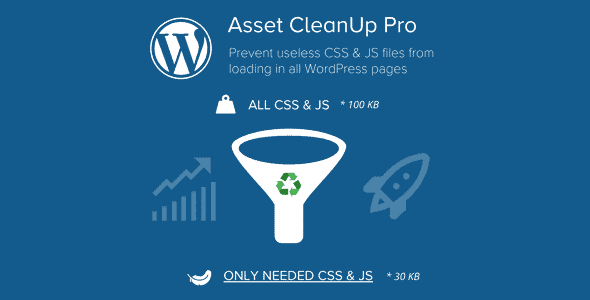
Unlock the true potential of your WordPress website with Asset CleanUp, the ultimate page speed booster designed to dramatically enhance your site’s performance. This powerful plugin empowers WordPress users, from casual bloggers to seasoned developers, to meticulously manage and optimize the loading of CSS and JavaScript assets, ensuring only what’s necessary is delivered to your visitors. By intelligently cleaning up unused resources, Asset CleanUp helps you achieve lightning-fast load times, improve user experience, and boost your search engine rankings.
Key Features of Asset CleanUp
- Conditional Asset Loading: With Asset CleanUp, you gain granular control over which CSS and JavaScript files load on specific pages, posts, custom post types, or even globally. This prevents unnecessary files from slowing down your site where they aren’t needed.
- Minify & Combine CSS/JS: Optimize your site’s delivery by minifying your CSS and JavaScript files, removing whitespace and comments. Asset CleanUp also allows you to combine multiple files into fewer requests, further reducing server load and improving page speed.
- Unload Assets from Specific Pages: Easily identify and unload plugins, themes, and other assets that are not required on certain pages. For instance, you can disable contact form scripts on non-contact pages, or gallery scripts where no gallery exists, thanks to Asset CleanUp’s intuitive interface.
- Database Cleanup & Optimization: Beyond front-end assets, Asset CleanUp also includes tools to clean up your WordPress database, removing old revisions, transient options, and other clutter that can accumulate over time and impact performance.
- Google Fonts Optimization: Take control of your site’s fonts. Asset CleanUp provides options to optimize or even block Google Fonts, which can sometimes be a significant performance bottleneck, giving you more flexibility in design and speed.
- Preload Assets: Improve perceived loading times by preloading critical CSS and JavaScript files. Asset CleanUp allows you to specify essential resources that should be fetched early, ensuring a smoother and faster initial page render.
- Asynchronous Loading for JavaScript: Enhance rendering performance by loading JavaScript files asynchronously or deferring them. This prevents scripts from blocking the rendering of your page, leading to a faster display of content for your users.
- Safe Test Mode: Experiment with optimization settings without fear. Asset CleanUp includes a “Test Mode” that allows only logged-in administrators to see the changes, ensuring your live site remains unaffected until you’re ready to deploy.
Why Choose Asset CleanUp?
Choosing Asset CleanUp means investing in a faster, more efficient, and ultimately more successful WordPress website. In today’s competitive online landscape, page speed is not just a luxury; it’s a necessity. Google and other search engines heavily favor fast-loading sites, rewarding them with higher rankings, which translates directly into more organic traffic and visibility for your content or products. A slow website frustrates users, leading to high bounce rates and lost conversions. Asset CleanUp directly addresses these critical issues by providing a robust toolkit for performance optimization.
The power of Asset CleanUp lies in its intelligent approach to asset management. Instead of a generic “one-size-fits-all” optimization, it allows you to precisely control what loads where. This surgical precision ensures that your site remains fully functional while shedding unnecessary weight, leading to tangible improvements in your Core Web Vitals scores. Whether you’re running a complex e-commerce store with numerous plugins or a simple blog, Asset CleanUp adapts to your needs, helping you deliver a snappy and seamless experience to every visitor. It’s an essential tool for anyone serious about performance.
Beyond the technical benefits, Asset CleanUp offers immense value by simplifying a complex aspect of website management. You don’t need to be a coding expert to leverage its capabilities. The intuitive interface makes it easy to identify performance bottlenecks and apply fixes, saving you countless hours of manual optimization. By choosing Asset CleanUp, you’re not just getting a plugin; you’re gaining a powerful ally in your quest for a high-performing website, ensuring your visitors stay longer, engage more, and convert better.
Who Should Use Asset CleanUp?
Asset CleanUp is an indispensable tool for a wide range of WordPress users. Bloggers and content creators will find it invaluable for speeding up their article pages, ensuring readers don’t abandon content due to slow loading. E-commerce store owners can significantly improve conversion rates by optimizing product pages and checkout flows, where every second counts. Web developers and agencies will appreciate the granular control and debugging features, making it easier to fine-tune client sites for peak performance. Small businesses looking to enhance their online presence and improve SEO will find Asset CleanUp a cost-effective solution for achieving a competitive edge. Essentially, anyone who wants a faster, more reliable, and higher-ranking WordPress site will benefit from integrating Asset CleanUp into their optimization strategy.
How to Install Asset CleanUp
- Download the Plugin: First, obtain the Asset CleanUp plugin file from your account on GPLUniverse. Ensure you download the latest version available for optimal performance and security.
- Upload to WordPress: Log in to your WordPress admin dashboard. Navigate to ‘Plugins’ > ‘Add New’ and then click the ‘Upload Plugin’ button at the top of the page.
- Choose File and Install: Click ‘Choose File’, select the zipped Asset CleanUp plugin file you downloaded, and then click ‘Install Now’. WordPress will upload and unpack the plugin.
- Activate the Plugin: Once the installation is complete, you will see a success message. Click the ‘Activate Plugin’ button to enable Asset CleanUp on your website.
- Configure Settings: After activation, a new menu item, typically “Asset CleanUp,” will appear in your WordPress dashboard. Navigate to its settings to begin configuring your optimization preferences, such as enabling test mode, unloading assets, and minifying files. Always test changes thoroughly, ideally in a staging environment, before applying them to your live site.
Frequently Asked Questions About Asset CleanUp
What exactly does Asset CleanUp do for my website?
Asset CleanUp acts as a comprehensive page speed booster by giving you precise control over the CSS and JavaScript assets loading on your WordPress site. It allows you to unload unnecessary scripts and styles from specific pages, minify and combine files, defer critical assets, and perform database cleanup. The primary goal of Asset CleanUp is to reduce the number of HTTP requests and the overall size of your web pages, leading to significantly faster load times and an improved user experience.
Will using Asset CleanUp break my site or cause conflicts with other plugins?
While Asset CleanUp is designed to be robust and compatible, any significant optimization tool that alters how assets load has the potential for conflicts if not configured carefully. However, Asset CleanUp includes several features to mitigate this risk, such as a “Test Mode” that allows only logged-in administrators to see changes, and the ability to revert settings easily. We always recommend performing extensive testing in a staging environment before deploying changes to a live site. In most cases, Asset CleanUp works seamlessly with popular themes and plugins when configured correctly.
Is Asset CleanUp suitable for beginners, or is it more for advanced users?
Asset CleanUp is designed with both beginners and advanced users in mind. While it offers deep, granular control that advanced users and developers will appreciate for fine-tuning performance, its user-friendly interface and clear explanations make it accessible for beginners. The “Bulk Unload” feature and “Test Mode” are particularly helpful for those new to performance optimization, allowing them to make significant improvements without needing extensive technical knowledge. The plugin empowers users of all skill levels to take charge of their website’s speed.
Get Asset CleanUp Today
Don’t let a slow website hinder your online success. With Asset CleanUp, you have the power to transform your WordPress site into a high-speed machine that delights visitors and impresses search engines. Experience the difference that intelligent asset management can make for your performance, user engagement, and SEO. Download Asset CleanUp from GPLUniverse today and start your journey towards a faster, more efficient website. Explore our extensive range of WordPress Plugins and other premium GPL WordPress Products to further enhance your site’s capabilities.
Related Products You May Like
Here's everything you need to know about your purchase:
- 100% original files — Every product is the genuine, virus-free file, exactly as released by the original developer.
- Instant download — Access your files immediately after purchase from your account.
- Lifetime access — Re-download your purchased files anytime. No expiry, no limits.
- Free updates — Newer version released? Just request an update from us, free for all customers.
- Dedicated support — Our team is available 24/7 for installation and file-related help.
- Easy refunds — Not satisfied? Review our Refund Policy. We offer a hassle-free 7-day guarantee.
$100.00 Original price was: $100.00.$2.00Current price is: $2.00.
Version
1.2.7.0
Last Updated
17/04/2026
License
GPL v2
Compatibility
WordPress 5.0+
Need latest version?
Newer version released? Request an update from us — free for all customers!
Request Update →🎁 Your Purchase Includes
Overview of Asset CleanUp
Unlock the true potential of your WordPress website with Asset CleanUp, the ultimate page speed booster designed to dramatically enhance your site’s performance. This powerful plugin empowers WordPress users, from casual bloggers to seasoned developers, to meticulously manage and optimize the loading of CSS and JavaScript assets, ensuring only what’s necessary is delivered to your visitors. By intelligently cleaning up unused resources, Asset CleanUp helps you achieve lightning-fast load times, improve user experience, and boost your search engine rankings.
Key Features of Asset CleanUp
- Conditional Asset Loading: With Asset CleanUp, you gain granular control over which CSS and JavaScript files load on specific pages, posts, custom post types, or even globally. This prevents unnecessary files from slowing down your site where they aren’t needed.
- Minify & Combine CSS/JS: Optimize your site’s delivery by minifying your CSS and JavaScript files, removing whitespace and comments. Asset CleanUp also allows you to combine multiple files into fewer requests, further reducing server load and improving page speed.
- Unload Assets from Specific Pages: Easily identify and unload plugins, themes, and other assets that are not required on certain pages. For instance, you can disable contact form scripts on non-contact pages, or gallery scripts where no gallery exists, thanks to Asset CleanUp’s intuitive interface.
- Database Cleanup & Optimization: Beyond front-end assets, Asset CleanUp also includes tools to clean up your WordPress database, removing old revisions, transient options, and other clutter that can accumulate over time and impact performance.
- Google Fonts Optimization: Take control of your site’s fonts. Asset CleanUp provides options to optimize or even block Google Fonts, which can sometimes be a significant performance bottleneck, giving you more flexibility in design and speed.
- Preload Assets: Improve perceived loading times by preloading critical CSS and JavaScript files. Asset CleanUp allows you to specify essential resources that should be fetched early, ensuring a smoother and faster initial page render.
- Asynchronous Loading for JavaScript: Enhance rendering performance by loading JavaScript files asynchronously or deferring them. This prevents scripts from blocking the rendering of your page, leading to a faster display of content for your users.
- Safe Test Mode: Experiment with optimization settings without fear. Asset CleanUp includes a “Test Mode” that allows only logged-in administrators to see the changes, ensuring your live site remains unaffected until you’re ready to deploy.
Why Choose Asset CleanUp?
Choosing Asset CleanUp means investing in a faster, more efficient, and ultimately more successful WordPress website. In today’s competitive online landscape, page speed is not just a luxury; it’s a necessity. Google and other search engines heavily favor fast-loading sites, rewarding them with higher rankings, which translates directly into more organic traffic and visibility for your content or products. A slow website frustrates users, leading to high bounce rates and lost conversions. Asset CleanUp directly addresses these critical issues by providing a robust toolkit for performance optimization.
The power of Asset CleanUp lies in its intelligent approach to asset management. Instead of a generic “one-size-fits-all” optimization, it allows you to precisely control what loads where. This surgical precision ensures that your site remains fully functional while shedding unnecessary weight, leading to tangible improvements in your Core Web Vitals scores. Whether you’re running a complex e-commerce store with numerous plugins or a simple blog, Asset CleanUp adapts to your needs, helping you deliver a snappy and seamless experience to every visitor. It’s an essential tool for anyone serious about performance.
Beyond the technical benefits, Asset CleanUp offers immense value by simplifying a complex aspect of website management. You don’t need to be a coding expert to leverage its capabilities. The intuitive interface makes it easy to identify performance bottlenecks and apply fixes, saving you countless hours of manual optimization. By choosing Asset CleanUp, you’re not just getting a plugin; you’re gaining a powerful ally in your quest for a high-performing website, ensuring your visitors stay longer, engage more, and convert better.
Who Should Use Asset CleanUp?
Asset CleanUp is an indispensable tool for a wide range of WordPress users. Bloggers and content creators will find it invaluable for speeding up their article pages, ensuring readers don’t abandon content due to slow loading. E-commerce store owners can significantly improve conversion rates by optimizing product pages and checkout flows, where every second counts. Web developers and agencies will appreciate the granular control and debugging features, making it easier to fine-tune client sites for peak performance. Small businesses looking to enhance their online presence and improve SEO will find Asset CleanUp a cost-effective solution for achieving a competitive edge. Essentially, anyone who wants a faster, more reliable, and higher-ranking WordPress site will benefit from integrating Asset CleanUp into their optimization strategy.
How to Install Asset CleanUp
- Download the Plugin: First, obtain the Asset CleanUp plugin file from your account on GPLUniverse. Ensure you download the latest version available for optimal performance and security.
- Upload to WordPress: Log in to your WordPress admin dashboard. Navigate to ‘Plugins’ > ‘Add New’ and then click the ‘Upload Plugin’ button at the top of the page.
- Choose File and Install: Click ‘Choose File’, select the zipped Asset CleanUp plugin file you downloaded, and then click ‘Install Now’. WordPress will upload and unpack the plugin.
- Activate the Plugin: Once the installation is complete, you will see a success message. Click the ‘Activate Plugin’ button to enable Asset CleanUp on your website.
- Configure Settings: After activation, a new menu item, typically “Asset CleanUp,” will appear in your WordPress dashboard. Navigate to its settings to begin configuring your optimization preferences, such as enabling test mode, unloading assets, and minifying files. Always test changes thoroughly, ideally in a staging environment, before applying them to your live site.
Frequently Asked Questions About Asset CleanUp
What exactly does Asset CleanUp do for my website?
Asset CleanUp acts as a comprehensive page speed booster by giving you precise control over the CSS and JavaScript assets loading on your WordPress site. It allows you to unload unnecessary scripts and styles from specific pages, minify and combine files, defer critical assets, and perform database cleanup. The primary goal of Asset CleanUp is to reduce the number of HTTP requests and the overall size of your web pages, leading to significantly faster load times and an improved user experience.
Will using Asset CleanUp break my site or cause conflicts with other plugins?
While Asset CleanUp is designed to be robust and compatible, any significant optimization tool that alters how assets load has the potential for conflicts if not configured carefully. However, Asset CleanUp includes several features to mitigate this risk, such as a “Test Mode” that allows only logged-in administrators to see changes, and the ability to revert settings easily. We always recommend performing extensive testing in a staging environment before deploying changes to a live site. In most cases, Asset CleanUp works seamlessly with popular themes and plugins when configured correctly.
Is Asset CleanUp suitable for beginners, or is it more for advanced users?
Asset CleanUp is designed with both beginners and advanced users in mind. While it offers deep, granular control that advanced users and developers will appreciate for fine-tuning performance, its user-friendly interface and clear explanations make it accessible for beginners. The “Bulk Unload” feature and “Test Mode” are particularly helpful for those new to performance optimization, allowing them to make significant improvements without needing extensive technical knowledge. The plugin empowers users of all skill levels to take charge of their website’s speed.
Get Asset CleanUp Today
Don’t let a slow website hinder your online success. With Asset CleanUp, you have the power to transform your WordPress site into a high-speed machine that delights visitors and impresses search engines. Experience the difference that intelligent asset management can make for your performance, user engagement, and SEO. Download Asset CleanUp from GPLUniverse today and start your journey towards a faster, more efficient website. Explore our extensive range of WordPress Plugins and other premium GPL WordPress Products to further enhance your site’s capabilities.
Related Products You May Like
Reviews
There are no reviews yet.
Here's everything you need to know about your purchase:
- 100% original files — Every product is the genuine, virus-free file, exactly as released by the original developer.
- Instant download — Access your files immediately after purchase from your account.
- Lifetime access — Re-download your purchased files anytime. No expiry, no limits.
- Free updates — Newer version released? Just request an update from us, free for all customers.
- Dedicated support — Our team is available 24/7 for installation and file-related help.
- Easy refunds — Not satisfied? Review our Refund Policy. We offer a hassle-free 7-day guarantee.
Reviews
There are no reviews yet.