

Angara – Responsive Prestashop 1.6.x & 1.7.x Theme
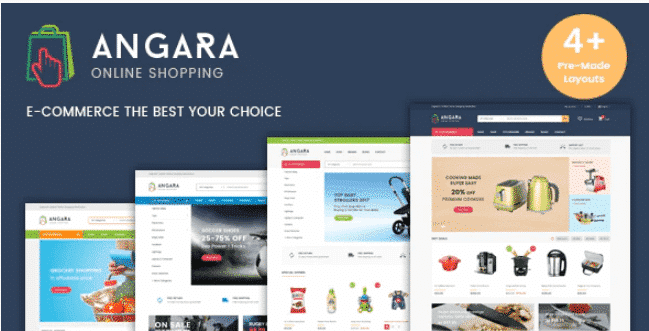
Overview of Angara
Elevate your online store with Angara, a premium responsive Prestashop theme meticulously crafted for versions 1.6.x and 1.7.x. Angara is designed for ambitious e-commerce entrepreneurs seeking a modern, flexible, and high-performing solution to showcase their products beautifully across all devices. This theme provides a robust foundation for any online business, from fashion boutiques to electronics stores, ensuring a seamless shopping experience for every customer.
Key Features of Angara
- Fully Responsive Design: Angara ensures your store looks impeccable and functions flawlessly on desktops, tablets, and smartphones, adapting automatically to any screen size for optimal viewing.
- Drag-and-Drop Page Builder: Customize your layouts with unparalleled ease using an intuitive drag-and-drop interface. Angara empowers you to create unique page structures without needing any coding knowledge.
- Advanced Mega Menu: Enhance navigation with a powerful mega menu, allowing you to display categories, subcategories, and promotional banners in an organized and visually appealing manner, making it easier for customers to find what they need with Angara.
- Layered Navigation (Filters): Provide a superior shopping experience with advanced product filters based on price, color, size, brand, and more, helping customers quickly narrow down their choices within Angara.
- Product Quick View: Allow customers to get a detailed look at products in a pop-up window without leaving the current page, streamlining the browsing process and improving user engagement with Angara.
- Product Image Zoom: Give customers a closer look at your product details with a high-quality image zoom feature, enhancing their confidence in their purchase decisions.
- Multiple Product Layouts: Choose from various product page layouts to best present your items, ensuring each product stands out and captures customer attention.
- SEO Optimized: Angara is built with SEO best practices in mind, helping your store rank higher in search engine results and attract more organic traffic.
Why Choose Angara?
Choosing Angara means investing in the future of your online business. This theme isn’t just about aesthetics; it’s engineered for performance and conversion. With its clean code and optimized structure, Angara ensures fast loading times, which is crucial for retaining visitors and improving your search engine rankings. The intuitive customization options mean you can tailor every aspect of your store to match your brand’s identity perfectly, creating a unique and memorable shopping environment that sets you apart from the competition. Angara provides the tools you need to build a professional and successful e-commerce presence.
Furthermore, Angara is designed with the end-user in mind. Its responsive nature guarantees that customers have a consistent and enjoyable experience, whether they are browsing on a large monitor or a mobile device. This flexibility translates into higher engagement rates and reduced bounce rates. The comprehensive set of features, from advanced navigation to quick view options, simplifies the customer journey, making it easier for them to discover products and complete purchases. Angara empowers you to focus on your products and customers, knowing that your store’s foundation is robust and reliable.
Who Should Use Angara?
Angara is the ideal solution for a wide range of Prestashop store owners. If you’re launching a new e-commerce venture or looking to refresh an existing one, Angara offers the versatility and power you need. It’s perfect for fashion retailers, electronics stores, furniture shops, jewelry boutiques, multi-category marketplaces, and any business that demands a modern, responsive, and feature-rich online presence. Both seasoned developers and those with limited technical expertise will find Angara user-friendly and incredibly powerful for creating stunning online stores.
How to Install Angara
- Download the Angara Theme Package: After acquiring Angara, download the theme files from your account dashboard. Ensure you have the correct version for your Prestashop installation (1.6.x or 1.7.x).
- Upload the Theme to Prestashop: Log in to your Prestashop admin panel. Navigate to “Design” -> “Theme & Logo” (Prestashop 1.7) or “Modules” -> “Themes” (Prestashop 1.6). Click “Add new theme” or “Add theme for import” and upload the Angara .zip file.
- Install and Activate Angara: Once uploaded, locate Angara in your theme list and click “Use this theme” or “Activate.” Follow any on-screen prompts to complete the installation process.
- Import Demo Data (Optional but Recommended): To make your store look like the demo, use the provided tools to import the demo content. This will give you a great starting point for customizing Angara.
- Configure Modules and Settings: Go through the module configuration options for Angara, setting up the slider, mega menu, layered navigation, and other features to fit your specific store requirements.
Frequently Asked Questions About Angara
Is Angara compatible with both Prestashop 1.6 and 1.7?
Yes, Angara is specifically developed to be fully compatible with both Prestashop 1.6.x and the latest 1.7.x versions, ensuring you can use it regardless of your current Prestashop setup.
Can I customize the layout and design of Angara without coding knowledge?
Absolutely! Angara features a powerful drag-and-drop page builder and extensive theme options within the Prestashop admin panel, allowing you to easily customize layouts, colors, fonts, and more without writing a single line of code.
Does Angara support multiple languages and currencies?
Yes, Angara is built to be fully compatible with Prestashop’s multi-language and multi-currency functionalities, allowing you to cater to a global audience with ease.
Get Angara Today
Transform your Prestashop store into a powerful, engaging, and visually stunning e-commerce destination with Angara. Its blend of sophisticated design, robust features, and user-friendly customization options makes it the ultimate choice for any online business aiming for success. Explore the possibilities and elevate your brand with Angara. For more premium WordPress Themes and other high-quality GPL WordPress Products, browse our extensive collection today!
Related Products You May Like
Here's everything you need to know about your purchase:
- 100% original files — Every product is the genuine, virus-free file, exactly as released by the original developer.
- Instant download — Access your files immediately after purchase from your account.
- Lifetime access — Re-download your purchased files anytime. No expiry, no limits.
- Free updates — Newer version released? Just request an update from us, free for all customers.
- Dedicated support — Our team is available 24/7 for installation and file-related help.
- Easy refunds — Not satisfied? Review our Refund Policy. We offer a hassle-free 7-day guarantee.
$59.00 Original price was: $59.00.$2.00Current price is: $2.00.
Version
Latest
Last Updated
25/2/2026
License
GPL v2
Compatibility
WordPress 5.0+
Need latest version?
Newer version released? Request an update from us — free for all customers!
Request Update →🎁 Your Purchase Includes
Overview of Angara
Elevate your online store with Angara, a premium responsive Prestashop theme meticulously crafted for versions 1.6.x and 1.7.x. Angara is designed for ambitious e-commerce entrepreneurs seeking a modern, flexible, and high-performing solution to showcase their products beautifully across all devices. This theme provides a robust foundation for any online business, from fashion boutiques to electronics stores, ensuring a seamless shopping experience for every customer.
Key Features of Angara
- Fully Responsive Design: Angara ensures your store looks impeccable and functions flawlessly on desktops, tablets, and smartphones, adapting automatically to any screen size for optimal viewing.
- Drag-and-Drop Page Builder: Customize your layouts with unparalleled ease using an intuitive drag-and-drop interface. Angara empowers you to create unique page structures without needing any coding knowledge.
- Advanced Mega Menu: Enhance navigation with a powerful mega menu, allowing you to display categories, subcategories, and promotional banners in an organized and visually appealing manner, making it easier for customers to find what they need with Angara.
- Layered Navigation (Filters): Provide a superior shopping experience with advanced product filters based on price, color, size, brand, and more, helping customers quickly narrow down their choices within Angara.
- Product Quick View: Allow customers to get a detailed look at products in a pop-up window without leaving the current page, streamlining the browsing process and improving user engagement with Angara.
- Product Image Zoom: Give customers a closer look at your product details with a high-quality image zoom feature, enhancing their confidence in their purchase decisions.
- Multiple Product Layouts: Choose from various product page layouts to best present your items, ensuring each product stands out and captures customer attention.
- SEO Optimized: Angara is built with SEO best practices in mind, helping your store rank higher in search engine results and attract more organic traffic.
Why Choose Angara?
Choosing Angara means investing in the future of your online business. This theme isn’t just about aesthetics; it’s engineered for performance and conversion. With its clean code and optimized structure, Angara ensures fast loading times, which is crucial for retaining visitors and improving your search engine rankings. The intuitive customization options mean you can tailor every aspect of your store to match your brand’s identity perfectly, creating a unique and memorable shopping environment that sets you apart from the competition. Angara provides the tools you need to build a professional and successful e-commerce presence.
Furthermore, Angara is designed with the end-user in mind. Its responsive nature guarantees that customers have a consistent and enjoyable experience, whether they are browsing on a large monitor or a mobile device. This flexibility translates into higher engagement rates and reduced bounce rates. The comprehensive set of features, from advanced navigation to quick view options, simplifies the customer journey, making it easier for them to discover products and complete purchases. Angara empowers you to focus on your products and customers, knowing that your store’s foundation is robust and reliable.
Who Should Use Angara?
Angara is the ideal solution for a wide range of Prestashop store owners. If you’re launching a new e-commerce venture or looking to refresh an existing one, Angara offers the versatility and power you need. It’s perfect for fashion retailers, electronics stores, furniture shops, jewelry boutiques, multi-category marketplaces, and any business that demands a modern, responsive, and feature-rich online presence. Both seasoned developers and those with limited technical expertise will find Angara user-friendly and incredibly powerful for creating stunning online stores.
How to Install Angara
- Download the Angara Theme Package: After acquiring Angara, download the theme files from your account dashboard. Ensure you have the correct version for your Prestashop installation (1.6.x or 1.7.x).
- Upload the Theme to Prestashop: Log in to your Prestashop admin panel. Navigate to “Design” -> “Theme & Logo” (Prestashop 1.7) or “Modules” -> “Themes” (Prestashop 1.6). Click “Add new theme” or “Add theme for import” and upload the Angara .zip file.
- Install and Activate Angara: Once uploaded, locate Angara in your theme list and click “Use this theme” or “Activate.” Follow any on-screen prompts to complete the installation process.
- Import Demo Data (Optional but Recommended): To make your store look like the demo, use the provided tools to import the demo content. This will give you a great starting point for customizing Angara.
- Configure Modules and Settings: Go through the module configuration options for Angara, setting up the slider, mega menu, layered navigation, and other features to fit your specific store requirements.
Frequently Asked Questions About Angara
Is Angara compatible with both Prestashop 1.6 and 1.7?
Yes, Angara is specifically developed to be fully compatible with both Prestashop 1.6.x and the latest 1.7.x versions, ensuring you can use it regardless of your current Prestashop setup.
Can I customize the layout and design of Angara without coding knowledge?
Absolutely! Angara features a powerful drag-and-drop page builder and extensive theme options within the Prestashop admin panel, allowing you to easily customize layouts, colors, fonts, and more without writing a single line of code.
Does Angara support multiple languages and currencies?
Yes, Angara is built to be fully compatible with Prestashop’s multi-language and multi-currency functionalities, allowing you to cater to a global audience with ease.
Get Angara Today
Transform your Prestashop store into a powerful, engaging, and visually stunning e-commerce destination with Angara. Its blend of sophisticated design, robust features, and user-friendly customization options makes it the ultimate choice for any online business aiming for success. Explore the possibilities and elevate your brand with Angara. For more premium WordPress Themes and other high-quality GPL WordPress Products, browse our extensive collection today!
Related Products You May Like
Reviews
There are no reviews yet.
Here's everything you need to know about your purchase:
- 100% original files — Every product is the genuine, virus-free file, exactly as released by the original developer.
- Instant download — Access your files immediately after purchase from your account.
- Lifetime access — Re-download your purchased files anytime. No expiry, no limits.
- Free updates — Newer version released? Just request an update from us, free for all customers.
- Dedicated support — Our team is available 24/7 for installation and file-related help.
- Easy refunds — Not satisfied? Review our Refund Policy. We offer a hassle-free 7-day guarantee.
Reviews
There are no reviews yet.