

Advanced Themer For Bricks Theme 3.3.14
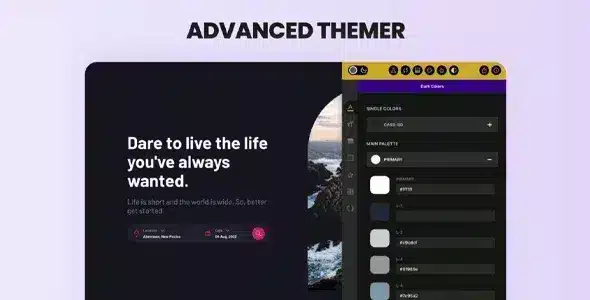
Overview of Advanced Themer For Bricks Theme
Unlock an unparalleled level of customization and control for your Bricks-powered websites with **Advanced Themer For Bricks Theme**. This powerful extension is meticulously crafted for web designers, developers, and agencies who demand precision, efficiency, and advanced theming capabilities beyond the standard Bricks builder. With **Advanced Themer For Bricks Theme**, you can streamline your workflow, implement complex designs with ease, and manage global styles and variables like never before, transforming your development experience into a truly advanced one.
Key Features of Advanced Themer For Bricks Theme
- Enhanced CSS Variables Management: Gain granular control over your site’s styling with a comprehensive system for managing custom CSS variables. Define, organize, and apply variables globally, ensuring consistency and rapid design adjustments across your entire Bricks project with **Advanced Themer For Bricks Theme**.
- Global Theme Settings & Presets: Configure and save global theme settings and presets directly within Bricks. This feature allows for quick application of your preferred design defaults, significantly speeding up project setup and maintaining brand consistency.
- Advanced Dark Mode Toggle: Implement a sophisticated dark mode solution with minimal effort. **Advanced Themer For Bricks Theme** provides intuitive controls to create and manage a beautiful dark theme, offering an improved user experience and accessibility for your visitors.
- Custom Breakpoints & Responsive Controls: Go beyond Bricks’ default breakpoints. Define your own custom responsive breakpoints to achieve pixel-perfect designs across any device. **Advanced Themer For Bricks Theme** gives you the flexibility to truly master responsive web design.
- Dynamic Data Integration & Conditions: Extend Bricks’ dynamic data capabilities with more advanced conditions and integrations. Display content based on complex rules, creating highly personalized and interactive user experiences effortlessly.
- Optimized Performance Features: Built with performance in mind, **Advanced Themer For Bricks Theme** helps you maintain fast loading speeds. Its efficient code and smart functionalities ensure your customized Bricks sites remain lightweight and quick, contributing to better SEO and user satisfaction.
- Custom Utility Classes Generator: Create and manage your own library of utility classes, further extending Bricks’ styling power. This allows for rapid prototyping and consistent application of specific styles without writing repetitive CSS.
- Workflow Enhancements & Developer Tools: Benefit from a suite of tools designed to boost developer productivity, including code snippets, custom functions, and an organized structure for managing your theme’s assets. **Advanced Themer For Bricks Theme** truly elevates the Bricks development environment.
Why Choose Advanced Themer For Bricks Theme?
Choosing **Advanced Themer For Bricks Theme** means opting for a higher standard of web development with the Bricks builder. It’s not just another plugin; it’s an essential toolkit that empowers you to push the boundaries of design and functionality without compromising on performance or ease of use. This extension bridges the gap between powerful visual building and deep code-level control, making complex theming tasks accessible and efficient. Imagine managing your entire site’s color palette, typography, and spacing from a single, intuitive interface, or deploying a perfectly tailored dark mode in minutes – this is the power **Advanced Themer For Bricks Theme** brings to your projects.
The value proposition of **Advanced Themer For Bricks Theme** lies in its ability to save you countless hours of manual coding and repetitive tasks. For agencies and freelancers, this translates directly into increased profitability and the capacity to take on more sophisticated projects. For individual developers, it means less frustration and more time spent on creative problem-solving. It integrates seamlessly with the Bricks ecosystem, enhancing its native capabilities and providing a robust foundation for building scalable, maintainable, and visually stunning websites.
Furthermore, by centralizing your theme’s styling and logic, **Advanced Themer For Bricks Theme** ensures consistency across all your designs. This reduces errors, simplifies future updates, and makes collaboration within teams much smoother. It’s an investment in your workflow that pays dividends through improved efficiency, higher quality output, and the ability to deliver truly custom solutions that stand out in a crowded digital landscape. Elevate your Bricks experience today with **Advanced Themer For Bricks Theme**.
Who Should Use Advanced Themer For Bricks Theme?
**Advanced Themer For Bricks Theme** is ideal for:
- Web Developers: Who want to extend Bricks’ capabilities with advanced CSS variable management, custom functions, and streamlined development workflows.
- Web Designers: Looking for precise control over global styles, responsive breakpoints, and dark mode implementation to achieve pixel-perfect designs.
- Agencies: Seeking a powerful tool to standardize their Bricks development process, ensure brand consistency across client projects, and improve team collaboration.
- Freelancers: Who need to build highly customized, performant, and maintainable Bricks websites efficiently for their clients.
- Anyone using Bricks Theme: Who feels limited by the default options and desires deeper customization and optimization features.
How to Install Advanced Themer For Bricks Theme
- Download the Plugin: After acquiring **Advanced Themer For Bricks Theme**, download the plugin ZIP file to your computer. Ensure you have the Bricks Theme already installed and activated on your WordPress site.
- Upload to WordPress: Log in to your WordPress admin dashboard. Navigate to ‘Plugins’ > ‘Add New’, then click the ‘Upload Plugin’ button at the top of the page.
- Choose File and Install: Click ‘Choose File’, select the **Advanced Themer For Bricks Theme** ZIP file you downloaded, and then click ‘Install Now’.
- Activate the Plugin: Once the installation is complete, click the ‘Activate Plugin’ button. You will now see **Advanced Themer For Bricks Theme** listed among your active plugins.
- Configure Settings: After activation, new settings and options for **Advanced Themer For Bricks Theme** will appear within your Bricks builder interface or under a dedicated menu in your WordPress dashboard, ready for you to explore and configure.
Frequently Asked Questions About Advanced Themer For Bricks Theme
Is Advanced Themer For Bricks Theme compatible with the latest version of Bricks?
Yes, **Advanced Themer For Bricks Theme** is regularly updated to ensure full compatibility with the latest versions of the Bricks Theme and WordPress. We strive to provide seamless integration and leverage the newest features offered by Bricks.
Can I use Advanced Themer For Bricks Theme on multiple websites?
Our GPL products, including **Advanced Themer For Bricks Theme**, come with the freedom of the GNU General Public License. This means you can use them on as many websites as you own or manage. However, please note that updates and support are typically provided for a single domain under the terms of a specific license purchase.
What kind of support is available for Advanced Themer For Bricks Theme?
As a GPL store, we provide the original, untouched files for **Advanced Themer For Bricks Theme**. While we do not offer direct technical support for the product’s functionality, you can find extensive documentation and community resources for Bricks Theme and its extensions online. For general inquiries about our products or your purchase, our customer service team is always ready to assist.
Get Advanced Themer For Bricks Theme Today
Transform your Bricks Theme development process and unlock a world of advanced customization with **Advanced Themer For Bricks Theme**. Stop struggling with limitations and start building more efficiently, creatively, and precisely. Enhance your workflow, deliver exceptional websites, and take full control of your designs. Explore this powerful tool and many other essential WordPress Themes and GPL WordPress Products to elevate your web projects.
Related Products You May Like
Here's everything you need to know about your purchase:
- 100% original files — Every product is the genuine, virus-free file, exactly as released by the original developer.
- Instant download — Access your files immediately after purchase from your account.
- Lifetime access — Re-download your purchased files anytime. No expiry, no limits.
- Free updates — Newer version released? Just request an update from us, free for all customers.
- Dedicated support — Our team is available 24/7 for installation and file-related help.
- Easy refunds — Not satisfied? Review our Refund Policy. We offer a hassle-free 7-day guarantee.
$100.00 Original price was: $100.00.$2.00Current price is: $2.00.
Version
3.3.14
Last Updated
01/01/2026
License
GPL v2
Compatibility
WordPress 5.0+
Need latest version?
Newer version released? Request an update from us — free for all customers!
Request Update →🎁 Your Purchase Includes
Overview of Advanced Themer For Bricks Theme
Unlock an unparalleled level of customization and control for your Bricks-powered websites with **Advanced Themer For Bricks Theme**. This powerful extension is meticulously crafted for web designers, developers, and agencies who demand precision, efficiency, and advanced theming capabilities beyond the standard Bricks builder. With **Advanced Themer For Bricks Theme**, you can streamline your workflow, implement complex designs with ease, and manage global styles and variables like never before, transforming your development experience into a truly advanced one.
Key Features of Advanced Themer For Bricks Theme
- Enhanced CSS Variables Management: Gain granular control over your site’s styling with a comprehensive system for managing custom CSS variables. Define, organize, and apply variables globally, ensuring consistency and rapid design adjustments across your entire Bricks project with **Advanced Themer For Bricks Theme**.
- Global Theme Settings & Presets: Configure and save global theme settings and presets directly within Bricks. This feature allows for quick application of your preferred design defaults, significantly speeding up project setup and maintaining brand consistency.
- Advanced Dark Mode Toggle: Implement a sophisticated dark mode solution with minimal effort. **Advanced Themer For Bricks Theme** provides intuitive controls to create and manage a beautiful dark theme, offering an improved user experience and accessibility for your visitors.
- Custom Breakpoints & Responsive Controls: Go beyond Bricks’ default breakpoints. Define your own custom responsive breakpoints to achieve pixel-perfect designs across any device. **Advanced Themer For Bricks Theme** gives you the flexibility to truly master responsive web design.
- Dynamic Data Integration & Conditions: Extend Bricks’ dynamic data capabilities with more advanced conditions and integrations. Display content based on complex rules, creating highly personalized and interactive user experiences effortlessly.
- Optimized Performance Features: Built with performance in mind, **Advanced Themer For Bricks Theme** helps you maintain fast loading speeds. Its efficient code and smart functionalities ensure your customized Bricks sites remain lightweight and quick, contributing to better SEO and user satisfaction.
- Custom Utility Classes Generator: Create and manage your own library of utility classes, further extending Bricks’ styling power. This allows for rapid prototyping and consistent application of specific styles without writing repetitive CSS.
- Workflow Enhancements & Developer Tools: Benefit from a suite of tools designed to boost developer productivity, including code snippets, custom functions, and an organized structure for managing your theme’s assets. **Advanced Themer For Bricks Theme** truly elevates the Bricks development environment.
Why Choose Advanced Themer For Bricks Theme?
Choosing **Advanced Themer For Bricks Theme** means opting for a higher standard of web development with the Bricks builder. It’s not just another plugin; it’s an essential toolkit that empowers you to push the boundaries of design and functionality without compromising on performance or ease of use. This extension bridges the gap between powerful visual building and deep code-level control, making complex theming tasks accessible and efficient. Imagine managing your entire site’s color palette, typography, and spacing from a single, intuitive interface, or deploying a perfectly tailored dark mode in minutes – this is the power **Advanced Themer For Bricks Theme** brings to your projects.
The value proposition of **Advanced Themer For Bricks Theme** lies in its ability to save you countless hours of manual coding and repetitive tasks. For agencies and freelancers, this translates directly into increased profitability and the capacity to take on more sophisticated projects. For individual developers, it means less frustration and more time spent on creative problem-solving. It integrates seamlessly with the Bricks ecosystem, enhancing its native capabilities and providing a robust foundation for building scalable, maintainable, and visually stunning websites.
Furthermore, by centralizing your theme’s styling and logic, **Advanced Themer For Bricks Theme** ensures consistency across all your designs. This reduces errors, simplifies future updates, and makes collaboration within teams much smoother. It’s an investment in your workflow that pays dividends through improved efficiency, higher quality output, and the ability to deliver truly custom solutions that stand out in a crowded digital landscape. Elevate your Bricks experience today with **Advanced Themer For Bricks Theme**.
Who Should Use Advanced Themer For Bricks Theme?
**Advanced Themer For Bricks Theme** is ideal for:
- Web Developers: Who want to extend Bricks’ capabilities with advanced CSS variable management, custom functions, and streamlined development workflows.
- Web Designers: Looking for precise control over global styles, responsive breakpoints, and dark mode implementation to achieve pixel-perfect designs.
- Agencies: Seeking a powerful tool to standardize their Bricks development process, ensure brand consistency across client projects, and improve team collaboration.
- Freelancers: Who need to build highly customized, performant, and maintainable Bricks websites efficiently for their clients.
- Anyone using Bricks Theme: Who feels limited by the default options and desires deeper customization and optimization features.
How to Install Advanced Themer For Bricks Theme
- Download the Plugin: After acquiring **Advanced Themer For Bricks Theme**, download the plugin ZIP file to your computer. Ensure you have the Bricks Theme already installed and activated on your WordPress site.
- Upload to WordPress: Log in to your WordPress admin dashboard. Navigate to ‘Plugins’ > ‘Add New’, then click the ‘Upload Plugin’ button at the top of the page.
- Choose File and Install: Click ‘Choose File’, select the **Advanced Themer For Bricks Theme** ZIP file you downloaded, and then click ‘Install Now’.
- Activate the Plugin: Once the installation is complete, click the ‘Activate Plugin’ button. You will now see **Advanced Themer For Bricks Theme** listed among your active plugins.
- Configure Settings: After activation, new settings and options for **Advanced Themer For Bricks Theme** will appear within your Bricks builder interface or under a dedicated menu in your WordPress dashboard, ready for you to explore and configure.
Frequently Asked Questions About Advanced Themer For Bricks Theme
Is Advanced Themer For Bricks Theme compatible with the latest version of Bricks?
Yes, **Advanced Themer For Bricks Theme** is regularly updated to ensure full compatibility with the latest versions of the Bricks Theme and WordPress. We strive to provide seamless integration and leverage the newest features offered by Bricks.
Can I use Advanced Themer For Bricks Theme on multiple websites?
Our GPL products, including **Advanced Themer For Bricks Theme**, come with the freedom of the GNU General Public License. This means you can use them on as many websites as you own or manage. However, please note that updates and support are typically provided for a single domain under the terms of a specific license purchase.
What kind of support is available for Advanced Themer For Bricks Theme?
As a GPL store, we provide the original, untouched files for **Advanced Themer For Bricks Theme**. While we do not offer direct technical support for the product’s functionality, you can find extensive documentation and community resources for Bricks Theme and its extensions online. For general inquiries about our products or your purchase, our customer service team is always ready to assist.
Get Advanced Themer For Bricks Theme Today
Transform your Bricks Theme development process and unlock a world of advanced customization with **Advanced Themer For Bricks Theme**. Stop struggling with limitations and start building more efficiently, creatively, and precisely. Enhance your workflow, deliver exceptional websites, and take full control of your designs. Explore this powerful tool and many other essential WordPress Themes and GPL WordPress Products to elevate your web projects.
Related Products You May Like
Reviews
There are no reviews yet.
Here's everything you need to know about your purchase:
- 100% original files — Every product is the genuine, virus-free file, exactly as released by the original developer.
- Instant download — Access your files immediately after purchase from your account.
- Lifetime access — Re-download your purchased files anytime. No expiry, no limits.
- Free updates — Newer version released? Just request an update from us, free for all customers.
- Dedicated support — Our team is available 24/7 for installation and file-related help.
- Easy refunds — Not satisfied? Review our Refund Policy. We offer a hassle-free 7-day guarantee.
Reviews
There are no reviews yet.