

Advanced iFrame Pro 2026.1
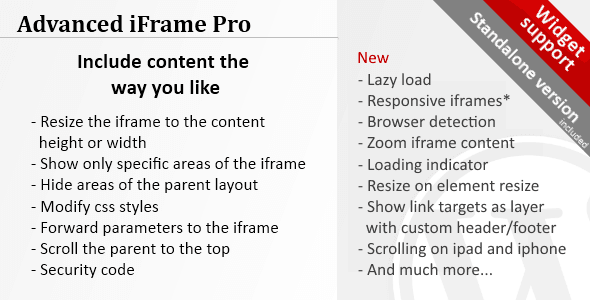
Overview of Advanced iFrame Pro
Unlock unparalleled control over your embedded content with Advanced iFrame Pro, the definitive solution for WordPress users seeking robust and flexible iframe management. This powerful plugin is meticulously designed for webmasters, developers, and content creators who need to seamlessly integrate external pages, videos, maps, or any web content directly into their WordPress site, all while maintaining full responsiveness and customizability. Advanced iFrame Pro empowers you to overcome common iframe limitations, ensuring your embedded content looks flawless and performs optimally.
Key Features of Advanced iFrame Pro
- Responsive iFrames: Ensure your embedded content adapts perfectly to any screen size, from desktops to mobile devices, providing a consistent user experience with Advanced iFrame Pro’s advanced responsiveness options.
- Lazy Loading: Optimize your website’s performance by loading iframes only when they become visible to the user, significantly improving page load times and user experience with Advanced iFrame Pro.
- Content Scaling & Zooming: Precisely scale or zoom embedded content to fit your design requirements, offering fine-grained control over how external content is displayed within your site.
- Hide Elements: Remove unwanted headers, footers, or specific sections from the embedded iframe content using powerful CSS selectors, giving you a cleaner integration.
- Custom Scrollbar & Styles: Personalize the appearance of iframe scrollbars and apply custom CSS directly to the iframe or its wrapper, ensuring Advanced iFrame Pro blends seamlessly with your theme.
- Automatic Resizing: Dynamically adjust the iframe’s height and width based on its content, preventing unnecessary scrollbars and ensuring a fluid layout without manual adjustments.
- Security Enhancements: Implement various security measures, including sandbox attributes and referrer policies, to protect your site and users when embedding external content with Advanced iFrame Pro.
- Shortcode Flexibility: Easily embed and manage multiple iframes across your site using intuitive shortcodes, allowing for quick deployment and extensive customization options per iframe instance.
Why Choose Advanced iFrame Pro?
Choosing Advanced iFrame Pro means opting for a comprehensive, professional-grade solution that transforms how you integrate external content. Unlike basic iframe implementations, Advanced iFrame Pro provides an extensive toolkit designed to tackle virtually any embedding challenge. It eliminates the frustration of unresponsive embeds, poor performance, and limited customization, allowing you to create a truly integrated and polished user experience. With its intuitive interface and powerful features, Advanced iFrame Pro saves you valuable development time, enabling you to focus on content creation rather than wrestling with code.
The value of Advanced iFrame Pro extends beyond mere embedding; it’s about enhancing your website’s functionality and aesthetic appeal while maintaining peak performance. Its lazy loading capabilities contribute positively to your SEO by improving page speed, while responsive design ensures your content is accessible and engaging on all devices. Whether you need to display complex dashboards, interactive maps, or dynamic videos, Advanced iFrame Pro offers the robust control and flexibility required to achieve a professional outcome, making it an indispensable tool for any serious WordPress website.
Who Should Use Advanced iFrame Pro?
Advanced iFrame Pro is ideal for a wide range of users, including web developers and designers who require precise control over embedded content, website owners looking to display third-party applications or services without compromising design or performance, and content creators who frequently integrate external media. It’s also perfect for e-commerce sites showcasing product videos from external platforms, educational institutions embedding interactive lessons, or businesses integrating CRM dashboards. Essentially, anyone who needs to embed content into WordPress and demands full control, responsiveness, and performance optimization will find Advanced iFrame Pro to be an invaluable asset.
How to Install Advanced iFrame Pro
- Download the Plugin: After your purchase, download the Advanced iFrame Pro plugin file (a .zip archive) from your account dashboard.
- Upload to WordPress: Log in to your WordPress admin panel. Navigate to ‘Plugins’ > ‘Add New’ and then click the ‘Upload Plugin’ button at the top of the page.
- Choose File & Install: Click ‘Choose File’, select the Advanced iFrame Pro .zip file you downloaded, and then click ‘Install Now’.
- Activate the Plugin: Once the installation is complete, click ‘Activate Plugin’. Advanced iFrame Pro will now be active on your site.
- Configure Settings: Access the Advanced iFrame Pro settings via the new menu item in your WordPress dashboard to begin customizing your iframe embeds.
Frequently Asked Questions About Advanced iFrame Pro
What kind of content can I embed using Advanced iFrame Pro?
Advanced iFrame Pro allows you to embed virtually any web content that can be displayed within an iframe. This includes external websites, videos from platforms like YouTube or Vimeo, Google Maps, social media feeds, PDF documents, dashboards, and even other WordPress pages. The plugin’s extensive features ensure optimal display and control regardless of the content type.
Is Advanced iFrame Pro truly responsive across all devices?
Yes, Advanced iFrame Pro is built with responsiveness at its core. It offers multiple options to ensure your embedded iframes adapt seamlessly to various screen sizes and orientations. You can configure it to automatically adjust dimensions, scale content, and even hide specific elements on smaller screens, guaranteeing a perfect display on desktops, tablets, and smartphones.
Does Advanced iFrame Pro impact my website’s performance or SEO?
Advanced iFrame Pro is designed with performance in mind. Its key feature, lazy loading, ensures that iframes only load when they enter the user’s viewport, significantly reducing initial page load times. This optimization can positively impact your website’s speed and, consequently, its search engine ranking. The plugin also provides options for clean code and efficient resource handling to minimize any negative performance implications.
Get Advanced iFrame Pro Today
Elevate your WordPress site’s capabilities by integrating Advanced iFrame Pro. Experience the ultimate control, flexibility, and performance in managing all your embedded content. Don’t settle for basic iframe solutions when you can have a powerful, feature-rich plugin that enhances user experience and streamlines your workflow. Explore Advanced iFrame Pro and countless other premium WordPress Plugins and GPL WordPress Products at GPLUniverse today to transform your website.
Related Products You May Like
Here's everything you need to know about your purchase:
- 100% original files — Every product is the genuine, virus-free file, exactly as released by the original developer.
- Instant download — Access your files immediately after purchase from your account.
- Lifetime access — Re-download your purchased files anytime. No expiry, no limits.
- Free updates — Newer version released? Just request an update from us, free for all customers.
- Dedicated support — Our team is available 24/7 for installation and file-related help.
- Easy refunds — Not satisfied? Review our Refund Policy. We offer a hassle-free 7-day guarantee.
$100.00 Original price was: $100.00.$2.00Current price is: $2.00.
Version
2026.1
Last Updated
29/04/2026
License
GPL v2
Compatibility
WordPress 5.0+
Need latest version?
Newer version released? Request an update from us — free for all customers!
Request Update →🎁 Your Purchase Includes
Overview of Advanced iFrame Pro
Unlock unparalleled control over your embedded content with Advanced iFrame Pro, the definitive solution for WordPress users seeking robust and flexible iframe management. This powerful plugin is meticulously designed for webmasters, developers, and content creators who need to seamlessly integrate external pages, videos, maps, or any web content directly into their WordPress site, all while maintaining full responsiveness and customizability. Advanced iFrame Pro empowers you to overcome common iframe limitations, ensuring your embedded content looks flawless and performs optimally.
Key Features of Advanced iFrame Pro
- Responsive iFrames: Ensure your embedded content adapts perfectly to any screen size, from desktops to mobile devices, providing a consistent user experience with Advanced iFrame Pro’s advanced responsiveness options.
- Lazy Loading: Optimize your website’s performance by loading iframes only when they become visible to the user, significantly improving page load times and user experience with Advanced iFrame Pro.
- Content Scaling & Zooming: Precisely scale or zoom embedded content to fit your design requirements, offering fine-grained control over how external content is displayed within your site.
- Hide Elements: Remove unwanted headers, footers, or specific sections from the embedded iframe content using powerful CSS selectors, giving you a cleaner integration.
- Custom Scrollbar & Styles: Personalize the appearance of iframe scrollbars and apply custom CSS directly to the iframe or its wrapper, ensuring Advanced iFrame Pro blends seamlessly with your theme.
- Automatic Resizing: Dynamically adjust the iframe’s height and width based on its content, preventing unnecessary scrollbars and ensuring a fluid layout without manual adjustments.
- Security Enhancements: Implement various security measures, including sandbox attributes and referrer policies, to protect your site and users when embedding external content with Advanced iFrame Pro.
- Shortcode Flexibility: Easily embed and manage multiple iframes across your site using intuitive shortcodes, allowing for quick deployment and extensive customization options per iframe instance.
Why Choose Advanced iFrame Pro?
Choosing Advanced iFrame Pro means opting for a comprehensive, professional-grade solution that transforms how you integrate external content. Unlike basic iframe implementations, Advanced iFrame Pro provides an extensive toolkit designed to tackle virtually any embedding challenge. It eliminates the frustration of unresponsive embeds, poor performance, and limited customization, allowing you to create a truly integrated and polished user experience. With its intuitive interface and powerful features, Advanced iFrame Pro saves you valuable development time, enabling you to focus on content creation rather than wrestling with code.
The value of Advanced iFrame Pro extends beyond mere embedding; it’s about enhancing your website’s functionality and aesthetic appeal while maintaining peak performance. Its lazy loading capabilities contribute positively to your SEO by improving page speed, while responsive design ensures your content is accessible and engaging on all devices. Whether you need to display complex dashboards, interactive maps, or dynamic videos, Advanced iFrame Pro offers the robust control and flexibility required to achieve a professional outcome, making it an indispensable tool for any serious WordPress website.
Who Should Use Advanced iFrame Pro?
Advanced iFrame Pro is ideal for a wide range of users, including web developers and designers who require precise control over embedded content, website owners looking to display third-party applications or services without compromising design or performance, and content creators who frequently integrate external media. It’s also perfect for e-commerce sites showcasing product videos from external platforms, educational institutions embedding interactive lessons, or businesses integrating CRM dashboards. Essentially, anyone who needs to embed content into WordPress and demands full control, responsiveness, and performance optimization will find Advanced iFrame Pro to be an invaluable asset.
How to Install Advanced iFrame Pro
- Download the Plugin: After your purchase, download the Advanced iFrame Pro plugin file (a .zip archive) from your account dashboard.
- Upload to WordPress: Log in to your WordPress admin panel. Navigate to ‘Plugins’ > ‘Add New’ and then click the ‘Upload Plugin’ button at the top of the page.
- Choose File & Install: Click ‘Choose File’, select the Advanced iFrame Pro .zip file you downloaded, and then click ‘Install Now’.
- Activate the Plugin: Once the installation is complete, click ‘Activate Plugin’. Advanced iFrame Pro will now be active on your site.
- Configure Settings: Access the Advanced iFrame Pro settings via the new menu item in your WordPress dashboard to begin customizing your iframe embeds.
Frequently Asked Questions About Advanced iFrame Pro
What kind of content can I embed using Advanced iFrame Pro?
Advanced iFrame Pro allows you to embed virtually any web content that can be displayed within an iframe. This includes external websites, videos from platforms like YouTube or Vimeo, Google Maps, social media feeds, PDF documents, dashboards, and even other WordPress pages. The plugin’s extensive features ensure optimal display and control regardless of the content type.
Is Advanced iFrame Pro truly responsive across all devices?
Yes, Advanced iFrame Pro is built with responsiveness at its core. It offers multiple options to ensure your embedded iframes adapt seamlessly to various screen sizes and orientations. You can configure it to automatically adjust dimensions, scale content, and even hide specific elements on smaller screens, guaranteeing a perfect display on desktops, tablets, and smartphones.
Does Advanced iFrame Pro impact my website’s performance or SEO?
Advanced iFrame Pro is designed with performance in mind. Its key feature, lazy loading, ensures that iframes only load when they enter the user’s viewport, significantly reducing initial page load times. This optimization can positively impact your website’s speed and, consequently, its search engine ranking. The plugin also provides options for clean code and efficient resource handling to minimize any negative performance implications.
Get Advanced iFrame Pro Today
Elevate your WordPress site’s capabilities by integrating Advanced iFrame Pro. Experience the ultimate control, flexibility, and performance in managing all your embedded content. Don’t settle for basic iframe solutions when you can have a powerful, feature-rich plugin that enhances user experience and streamlines your workflow. Explore Advanced iFrame Pro and countless other premium WordPress Plugins and GPL WordPress Products at GPLUniverse today to transform your website.
Related Products You May Like
Reviews
There are no reviews yet.
Here's everything you need to know about your purchase:
- 100% original files — Every product is the genuine, virus-free file, exactly as released by the original developer.
- Instant download — Access your files immediately after purchase from your account.
- Lifetime access — Re-download your purchased files anytime. No expiry, no limits.
- Free updates — Newer version released? Just request an update from us, free for all customers.
- Dedicated support — Our team is available 24/7 for installation and file-related help.
- Easy refunds — Not satisfied? Review our Refund Policy. We offer a hassle-free 7-day guarantee.
Reviews
There are no reviews yet.