

Advance Seat Reservation Management for WooCommerce 3.1
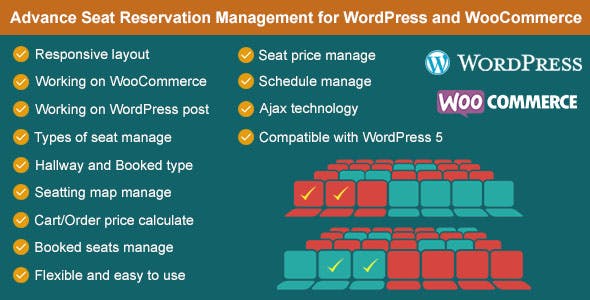
Overview of Advance Seat Reservation Management for WooCommerce
Revolutionize how your customers book their spots with Advance Seat Reservation Management for WooCommerce. This powerful plugin empowers business owners to offer intuitive, visual seat selection for events, venues, and appointments directly within their WooCommerce store. Ideal for theaters, cinemas, event organizers, transportation services, and any business requiring precise seat or slot bookings, Advance Seat Reservation Management for WooCommerce transforms a complex process into a seamless user experience.
Key Features of Advance Seat Reservation Management for WooCommerce
- Interactive Seat Map Builder: Design custom seat layouts with rows, columns, and different seat types (e.g., standard, VIP, disabled access) using a user-friendly drag-and-drop interface directly within your WordPress dashboard.
- Real-time Seat Availability: Customers see available seats in real-time, preventing double bookings and enhancing the booking experience. This ensures accurate inventory management for every event or booking slot.
- Flexible Pricing Rules: Set different prices for various seat types or zones, allowing for dynamic pricing strategies that maximize revenue for your business.
- Booking Management Dashboard: Easily view, edit, and manage all reservations from a centralized backend interface. This includes customer details, selected seats, and payment status.
- Automated Email Notifications: Send customizable confirmation emails to customers with their booking details, seat numbers, and event information, reducing manual administrative tasks.
- WooCommerce Product Integration: Seamlessly integrates with existing WooCommerce products, turning any product into a bookable resource with advanced seat selection capabilities.
- Multi-Event & Venue Support: Manage reservations for multiple events, shows, or venues from a single installation, offering unparalleled flexibility for diverse businesses.
- Customizable Booking Forms: Collect additional information from customers during the booking process through customizable fields, tailoring the experience to your specific needs.
Why Choose Advance Seat Reservation Management for WooCommerce?
Choosing Advance Seat Reservation Management for WooCommerce means opting for a sophisticated yet user-friendly solution that significantly enhances the customer booking journey. In today’s competitive online market, providing an intuitive and visually engaging booking process is crucial for customer satisfaction and conversion rates. This plugin eliminates the frustration of generic booking forms by offering a clear, interactive seat map, allowing customers to pick their preferred spot with confidence.
Beyond the enhanced user experience, Advance Seat Reservation Management for WooCommerce provides robust backend tools for business owners. From creating intricate seating arrangements for a concert hall to managing limited slots for a workshop, the flexibility and control offered by this plugin are unparalleled. It streamlines operations, reduces the likelihood of manual errors, and provides valuable insights into booking trends. Integrating seamlessly with WooCommerce, it leverages the power of your existing e-commerce setup, ensuring a consistent and reliable platform for all your transactions.
Investing in Advance Seat Reservation Management for WooCommerce is an investment in efficiency, customer satisfaction, and ultimately, business growth. It empowers you to cater to a wider range of booking scenarios, from fixed-seat events to flexible time-slot reservations, all while maintaining a professional and intuitive interface. This comprehensive solution is designed to meet the demands of modern businesses looking to optimize their reservation process and deliver an exceptional service.
Who Should Use Advance Seat Reservation Management for WooCommerce?
Advance Seat Reservation Management for WooCommerce is ideal for a broad spectrum of businesses and organizations that require precise booking and seat selection capabilities. This includes theaters, cinemas, sports arenas, concert venues, and event organizers who need to manage tickets for specific seats. It’s also perfect for tour operators, bus or train services, and shuttle companies that require customers to select specific seats or time slots. Furthermore, businesses offering workshops, classes, or appointments where capacity control and specific slot allocation are necessary will find this plugin invaluable. Essentially, any WooCommerce store looking to upgrade from basic product sales to an advanced, interactive reservation system will benefit immensely from Advance Seat Reservation Management for WooCommerce.
How to Install Advance Seat Reservation Management for WooCommerce
- Download the Plugin: After purchasing Advance Seat Reservation Management for WooCommerce, download the plugin zip file from your account on our website.
- Upload via WordPress Dashboard: Log in to your WordPress admin area. Navigate to ‘Plugins’ > ‘Add New’ and click ‘Upload Plugin’. Choose the downloaded zip file and click ‘Install Now’.
- Activate the Plugin: Once the installation is complete, click ‘Activate Plugin’. Advance Seat Reservation Management for WooCommerce will now be active on your site.
- Configure Settings: Go to the new ‘Seat Reservation’ menu item in your WordPress dashboard. Begin by configuring the general settings, creating your first seat map, and linking it to your WooCommerce products.
- Test Your Setup: Create a test product with seat reservation enabled and go through the booking process on your storefront to ensure everything is working as expected.
Frequently Asked Questions About Advance Seat Reservation Management for WooCommerce
Can I create multiple seat maps for different events or products?
Yes, Advance Seat Reservation Management for WooCommerce allows you to create an unlimited number of custom seat maps. Each map can be uniquely designed and assigned to different WooCommerce products or events, providing maximum flexibility for your booking needs. You can easily manage all your maps from a dedicated dashboard.
Is Advance Seat Reservation Management for WooCommerce compatible with all WordPress themes?
Advance Seat Reservation Management for WooCommerce is built with WordPress best practices and WooCommerce compatibility in mind, making it highly compatible with most standard and well-coded WordPress themes. However, due to the vast number of themes available, minor CSS adjustments might be needed for perfect visual integration with highly customized themes. Our team is always here to assist if you encounter any specific compatibility issues.
How does Advance Seat Reservation Management for WooCommerce handle sold-out seats?
The plugin automatically updates seat availability in real-time. Once a seat is booked and the order is processed, it becomes unavailable on the seat map, preventing any double bookings. Customers will clearly see which seats are taken and which are still open, providing a transparent and efficient booking experience.
Get Advance Seat Reservation Management for WooCommerce Today
Empower your WooCommerce store with advanced booking capabilities and deliver an unparalleled customer experience. Advance Seat Reservation Management for WooCommerce is the ultimate solution for businesses seeking to optimize their reservation process and boost sales. Don’t miss out on the opportunity to transform your booking system. Explore this and many other premium WordPress Plugins, and discover the full range of GPL WordPress Products available on our store today!
Related Products You May Like
Here's everything you need to know about your purchase:
- 100% original files — Every product is the genuine, virus-free file, exactly as released by the original developer.
- Instant download — Access your files immediately after purchase from your account.
- Lifetime access — Re-download your purchased files anytime. No expiry, no limits.
- Free updates — Newer version released? Just request an update from us, free for all customers.
- Dedicated support — Our team is available 24/7 for installation and file-related help.
- Easy refunds — Not satisfied? Review our Refund Policy. We offer a hassle-free 7-day guarantee.
$100.00 Original price was: $100.00.$2.00Current price is: $2.00.
Version
3.1
Last Updated
26/04/2026
License
GPL v2
Compatibility
WordPress 5.0+
Need latest version?
Newer version released? Request an update from us — free for all customers!
Request Update →🎁 Your Purchase Includes
Overview of Advance Seat Reservation Management for WooCommerce
Revolutionize how your customers book their spots with Advance Seat Reservation Management for WooCommerce. This powerful plugin empowers business owners to offer intuitive, visual seat selection for events, venues, and appointments directly within their WooCommerce store. Ideal for theaters, cinemas, event organizers, transportation services, and any business requiring precise seat or slot bookings, Advance Seat Reservation Management for WooCommerce transforms a complex process into a seamless user experience.
Key Features of Advance Seat Reservation Management for WooCommerce
- Interactive Seat Map Builder: Design custom seat layouts with rows, columns, and different seat types (e.g., standard, VIP, disabled access) using a user-friendly drag-and-drop interface directly within your WordPress dashboard.
- Real-time Seat Availability: Customers see available seats in real-time, preventing double bookings and enhancing the booking experience. This ensures accurate inventory management for every event or booking slot.
- Flexible Pricing Rules: Set different prices for various seat types or zones, allowing for dynamic pricing strategies that maximize revenue for your business.
- Booking Management Dashboard: Easily view, edit, and manage all reservations from a centralized backend interface. This includes customer details, selected seats, and payment status.
- Automated Email Notifications: Send customizable confirmation emails to customers with their booking details, seat numbers, and event information, reducing manual administrative tasks.
- WooCommerce Product Integration: Seamlessly integrates with existing WooCommerce products, turning any product into a bookable resource with advanced seat selection capabilities.
- Multi-Event & Venue Support: Manage reservations for multiple events, shows, or venues from a single installation, offering unparalleled flexibility for diverse businesses.
- Customizable Booking Forms: Collect additional information from customers during the booking process through customizable fields, tailoring the experience to your specific needs.
Why Choose Advance Seat Reservation Management for WooCommerce?
Choosing Advance Seat Reservation Management for WooCommerce means opting for a sophisticated yet user-friendly solution that significantly enhances the customer booking journey. In today’s competitive online market, providing an intuitive and visually engaging booking process is crucial for customer satisfaction and conversion rates. This plugin eliminates the frustration of generic booking forms by offering a clear, interactive seat map, allowing customers to pick their preferred spot with confidence.
Beyond the enhanced user experience, Advance Seat Reservation Management for WooCommerce provides robust backend tools for business owners. From creating intricate seating arrangements for a concert hall to managing limited slots for a workshop, the flexibility and control offered by this plugin are unparalleled. It streamlines operations, reduces the likelihood of manual errors, and provides valuable insights into booking trends. Integrating seamlessly with WooCommerce, it leverages the power of your existing e-commerce setup, ensuring a consistent and reliable platform for all your transactions.
Investing in Advance Seat Reservation Management for WooCommerce is an investment in efficiency, customer satisfaction, and ultimately, business growth. It empowers you to cater to a wider range of booking scenarios, from fixed-seat events to flexible time-slot reservations, all while maintaining a professional and intuitive interface. This comprehensive solution is designed to meet the demands of modern businesses looking to optimize their reservation process and deliver an exceptional service.
Who Should Use Advance Seat Reservation Management for WooCommerce?
Advance Seat Reservation Management for WooCommerce is ideal for a broad spectrum of businesses and organizations that require precise booking and seat selection capabilities. This includes theaters, cinemas, sports arenas, concert venues, and event organizers who need to manage tickets for specific seats. It’s also perfect for tour operators, bus or train services, and shuttle companies that require customers to select specific seats or time slots. Furthermore, businesses offering workshops, classes, or appointments where capacity control and specific slot allocation are necessary will find this plugin invaluable. Essentially, any WooCommerce store looking to upgrade from basic product sales to an advanced, interactive reservation system will benefit immensely from Advance Seat Reservation Management for WooCommerce.
How to Install Advance Seat Reservation Management for WooCommerce
- Download the Plugin: After purchasing Advance Seat Reservation Management for WooCommerce, download the plugin zip file from your account on our website.
- Upload via WordPress Dashboard: Log in to your WordPress admin area. Navigate to ‘Plugins’ > ‘Add New’ and click ‘Upload Plugin’. Choose the downloaded zip file and click ‘Install Now’.
- Activate the Plugin: Once the installation is complete, click ‘Activate Plugin’. Advance Seat Reservation Management for WooCommerce will now be active on your site.
- Configure Settings: Go to the new ‘Seat Reservation’ menu item in your WordPress dashboard. Begin by configuring the general settings, creating your first seat map, and linking it to your WooCommerce products.
- Test Your Setup: Create a test product with seat reservation enabled and go through the booking process on your storefront to ensure everything is working as expected.
Frequently Asked Questions About Advance Seat Reservation Management for WooCommerce
Can I create multiple seat maps for different events or products?
Yes, Advance Seat Reservation Management for WooCommerce allows you to create an unlimited number of custom seat maps. Each map can be uniquely designed and assigned to different WooCommerce products or events, providing maximum flexibility for your booking needs. You can easily manage all your maps from a dedicated dashboard.
Is Advance Seat Reservation Management for WooCommerce compatible with all WordPress themes?
Advance Seat Reservation Management for WooCommerce is built with WordPress best practices and WooCommerce compatibility in mind, making it highly compatible with most standard and well-coded WordPress themes. However, due to the vast number of themes available, minor CSS adjustments might be needed for perfect visual integration with highly customized themes. Our team is always here to assist if you encounter any specific compatibility issues.
How does Advance Seat Reservation Management for WooCommerce handle sold-out seats?
The plugin automatically updates seat availability in real-time. Once a seat is booked and the order is processed, it becomes unavailable on the seat map, preventing any double bookings. Customers will clearly see which seats are taken and which are still open, providing a transparent and efficient booking experience.
Get Advance Seat Reservation Management for WooCommerce Today
Empower your WooCommerce store with advanced booking capabilities and deliver an unparalleled customer experience. Advance Seat Reservation Management for WooCommerce is the ultimate solution for businesses seeking to optimize their reservation process and boost sales. Don’t miss out on the opportunity to transform your booking system. Explore this and many other premium WordPress Plugins, and discover the full range of GPL WordPress Products available on our store today!
Related Products You May Like
Reviews
There are no reviews yet.
Here's everything you need to know about your purchase:
- 100% original files — Every product is the genuine, virus-free file, exactly as released by the original developer.
- Instant download — Access your files immediately after purchase from your account.
- Lifetime access — Re-download your purchased files anytime. No expiry, no limits.
- Free updates — Newer version released? Just request an update from us, free for all customers.
- Dedicated support — Our team is available 24/7 for installation and file-related help.
- Easy refunds — Not satisfied? Review our Refund Policy. We offer a hassle-free 7-day guarantee.
Reviews
There are no reviews yet.