

Admin Menu Editor Pro 2.32
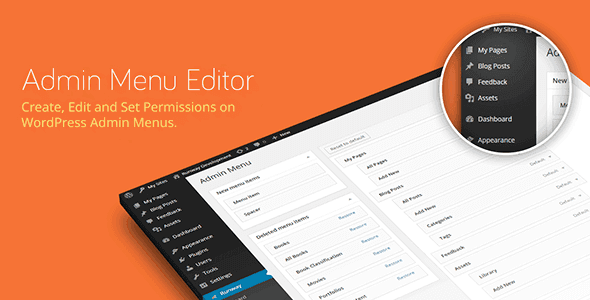
Overview of Admin Menu Editor Pro
Admin Menu Editor Pro is an indispensable WordPress plugin designed to give site administrators complete control over the WordPress dashboard menu. Whether you’re managing a single website, a client’s site, or a large multi-site network, Admin Menu Editor Pro empowers you to customize, reorder, hide, and rename any menu item, ensuring a streamlined and intuitive backend experience for all users.
Key Features of Admin Menu Editor Pro
- Comprehensive Menu Customization: Easily edit virtually any aspect of your WordPress admin menu. Change titles, URLs, icons, and even add custom CSS classes to menu items to tailor them precisely to your needs.
- Drag-and-Drop Reordering: Intuitive drag-and-drop interface allows you to effortlessly reorder top-level menus and their sub-menus, creating a logical flow that matches your workflow or your client’s preferences.
- Hide or Disable Menu Items: Keep the dashboard clean and focused by hiding unnecessary menu items from specific user roles or even all users. This is perfect for simplifying the interface for less tech-savvy clients or contributors.
- Role-Based Access Control: Grant or deny access to specific menu items based on user roles. Admin Menu Editor Pro ensures that users only see the options relevant to their permissions, preventing confusion and potential errors.
- Create Custom Menus: Add entirely new menu items that link to internal pages, external websites, or custom administration pages. This feature vastly extends the functionality of your WordPress dashboard.
- Export and Import Settings: Save your custom menu configurations and easily import them to other WordPress installations. This is a massive time-saver for agencies and developers managing multiple sites with similar needs.
- Multi-Site Network Support: For those running a WordPress multi-site network, Admin Menu Editor Pro offers powerful network-wide management capabilities, allowing you to control menus across all sub-sites from a central location.
- Dashboard Widget Control: Beyond just menus, Admin Menu Editor Pro also provides options to hide or reorder dashboard widgets, further refining the administrative interface for different user roles.
Why Choose Admin Menu Editor Pro?
Choosing Admin Menu Editor Pro means investing in efficiency, clarity, and control for your WordPress administration. In today’s fast-paced digital environment, a well-organized and intuitive backend can significantly boost productivity for site owners, content creators, and developers alike. This plugin eliminates the clutter, reduces the learning curve for new users, and prevents access to sensitive areas for those who don’t need it, ultimately leading to a more secure and user-friendly experience.
The value proposition of Admin Menu Editor Pro extends beyond mere aesthetics. By tailoring the admin menu to specific user roles, you empower your team members or clients to focus solely on their tasks without being distracted by irrelevant options. For agencies, it’s an essential tool for delivering polished, client-friendly solutions, allowing you to brand the backend and simplify complex WordPress interfaces. The ability to export and import settings across multiple sites also makes it an invaluable asset for streamlining development workflows and maintaining consistency.
Furthermore, the robust features of Admin Menu Editor Pro contribute to a more secure WordPress environment. By selectively hiding or disabling menu items, you can restrict access to critical settings, preventing accidental changes or unauthorized modifications by users who shouldn’t have full administrative privileges. This level of granular control is paramount for maintaining the integrity and stability of your website.
Who Should Use Admin Menu Editor Pro?
Admin Menu Editor Pro is an ideal solution for a wide range of WordPress users:
- Website Owners: To simplify their own dashboard and streamline content management.
- Freelancers and Agencies: To deliver highly customized and branded client dashboards, making WordPress less intimidating for non-technical clients.
- Developers: For creating custom admin interfaces, integrating with proprietary tools, and ensuring a consistent experience across multiple projects.
- Multi-Site Network Administrators: To centrally manage and standardize menus across an entire network of sites.
- Content Managers and Editors: To declutter their workspace and focus purely on content creation and editing tasks.
How to Install Admin Menu Editor Pro
- Download the Plugin: After purchasing Admin Menu Editor Pro from our store, download the plugin zip file to your computer.
- Upload to WordPress: Log in to your WordPress dashboard. Navigate to ‘Plugins’ > ‘Add New’, then click the ‘Upload Plugin’ button at the top of the page.
- Choose File: Click ‘Choose File’ and select the Admin Menu Editor Pro zip file you downloaded earlier. Then click ‘Install Now’.
- Activate Plugin: Once the plugin is successfully installed, click the ‘Activate Plugin’ button.
- Configure Settings: After activation, you’ll find Admin Menu Editor Pro under ‘Settings’ > ‘Menu Editor’ in your WordPress dashboard. Begin customizing your admin menus!
Frequently Asked Questions About Admin Menu Editor Pro
Can Admin Menu Editor Pro control sub-menus as well?
Yes, absolutely! Admin Menu Editor Pro provides complete control over both top-level menu items and all their associated sub-menus. You can reorder, rename, hide, or change properties for any sub-menu item with ease, just like the main menu items.
Is Admin Menu Editor Pro compatible with custom post types and their menus?
Yes, Admin Menu Editor Pro is designed to work seamlessly with custom post types. Any menu items added by custom post types or custom taxonomies will appear in the editor, allowing you to manage their visibility and properties just like standard WordPress menu items.
Does Admin Menu Editor Pro affect frontend performance?
No, Admin Menu Editor Pro operates entirely within the WordPress backend. It only modifies how the administration menu is displayed to logged-in users and has no impact whatsoever on your website’s frontend performance or visitor experience.
Get Admin Menu Editor Pro Today
Transform your WordPress dashboard into a highly efficient, user-friendly environment with Admin Menu Editor Pro. Take control of your menus, simplify the user experience, and enhance your workflow starting today. Explore this powerful solution and many other premium WordPress Plugins available in our collection. For a comprehensive range of solutions, browse all our GPL WordPress Products and elevate your website management.
Related Products You May Like
Here's everything you need to know about your purchase:
- 100% original files — Every product is the genuine, virus-free file, exactly as released by the original developer.
- Instant download — Access your files immediately after purchase from your account.
- Lifetime access — Re-download your purchased files anytime. No expiry, no limits.
- Free updates — Newer version released? Just request an update from us, free for all customers.
- Dedicated support — Our team is available 24/7 for installation and file-related help.
- Easy refunds — Not satisfied? Review our Refund Policy. We offer a hassle-free 7-day guarantee.
$100.00 Original price was: $100.00.$2.00Current price is: $2.00.
Version
2.32
Last Updated
03/03/2026
License
GPL v2
Compatibility
WordPress 5.0+
Need latest version?
Newer version released? Request an update from us — free for all customers!
Request Update →🎁 Your Purchase Includes
Overview of Admin Menu Editor Pro
Admin Menu Editor Pro is an indispensable WordPress plugin designed to give site administrators complete control over the WordPress dashboard menu. Whether you’re managing a single website, a client’s site, or a large multi-site network, Admin Menu Editor Pro empowers you to customize, reorder, hide, and rename any menu item, ensuring a streamlined and intuitive backend experience for all users.
Key Features of Admin Menu Editor Pro
- Comprehensive Menu Customization: Easily edit virtually any aspect of your WordPress admin menu. Change titles, URLs, icons, and even add custom CSS classes to menu items to tailor them precisely to your needs.
- Drag-and-Drop Reordering: Intuitive drag-and-drop interface allows you to effortlessly reorder top-level menus and their sub-menus, creating a logical flow that matches your workflow or your client’s preferences.
- Hide or Disable Menu Items: Keep the dashboard clean and focused by hiding unnecessary menu items from specific user roles or even all users. This is perfect for simplifying the interface for less tech-savvy clients or contributors.
- Role-Based Access Control: Grant or deny access to specific menu items based on user roles. Admin Menu Editor Pro ensures that users only see the options relevant to their permissions, preventing confusion and potential errors.
- Create Custom Menus: Add entirely new menu items that link to internal pages, external websites, or custom administration pages. This feature vastly extends the functionality of your WordPress dashboard.
- Export and Import Settings: Save your custom menu configurations and easily import them to other WordPress installations. This is a massive time-saver for agencies and developers managing multiple sites with similar needs.
- Multi-Site Network Support: For those running a WordPress multi-site network, Admin Menu Editor Pro offers powerful network-wide management capabilities, allowing you to control menus across all sub-sites from a central location.
- Dashboard Widget Control: Beyond just menus, Admin Menu Editor Pro also provides options to hide or reorder dashboard widgets, further refining the administrative interface for different user roles.
Why Choose Admin Menu Editor Pro?
Choosing Admin Menu Editor Pro means investing in efficiency, clarity, and control for your WordPress administration. In today’s fast-paced digital environment, a well-organized and intuitive backend can significantly boost productivity for site owners, content creators, and developers alike. This plugin eliminates the clutter, reduces the learning curve for new users, and prevents access to sensitive areas for those who don’t need it, ultimately leading to a more secure and user-friendly experience.
The value proposition of Admin Menu Editor Pro extends beyond mere aesthetics. By tailoring the admin menu to specific user roles, you empower your team members or clients to focus solely on their tasks without being distracted by irrelevant options. For agencies, it’s an essential tool for delivering polished, client-friendly solutions, allowing you to brand the backend and simplify complex WordPress interfaces. The ability to export and import settings across multiple sites also makes it an invaluable asset for streamlining development workflows and maintaining consistency.
Furthermore, the robust features of Admin Menu Editor Pro contribute to a more secure WordPress environment. By selectively hiding or disabling menu items, you can restrict access to critical settings, preventing accidental changes or unauthorized modifications by users who shouldn’t have full administrative privileges. This level of granular control is paramount for maintaining the integrity and stability of your website.
Who Should Use Admin Menu Editor Pro?
Admin Menu Editor Pro is an ideal solution for a wide range of WordPress users:
- Website Owners: To simplify their own dashboard and streamline content management.
- Freelancers and Agencies: To deliver highly customized and branded client dashboards, making WordPress less intimidating for non-technical clients.
- Developers: For creating custom admin interfaces, integrating with proprietary tools, and ensuring a consistent experience across multiple projects.
- Multi-Site Network Administrators: To centrally manage and standardize menus across an entire network of sites.
- Content Managers and Editors: To declutter their workspace and focus purely on content creation and editing tasks.
How to Install Admin Menu Editor Pro
- Download the Plugin: After purchasing Admin Menu Editor Pro from our store, download the plugin zip file to your computer.
- Upload to WordPress: Log in to your WordPress dashboard. Navigate to ‘Plugins’ > ‘Add New’, then click the ‘Upload Plugin’ button at the top of the page.
- Choose File: Click ‘Choose File’ and select the Admin Menu Editor Pro zip file you downloaded earlier. Then click ‘Install Now’.
- Activate Plugin: Once the plugin is successfully installed, click the ‘Activate Plugin’ button.
- Configure Settings: After activation, you’ll find Admin Menu Editor Pro under ‘Settings’ > ‘Menu Editor’ in your WordPress dashboard. Begin customizing your admin menus!
Frequently Asked Questions About Admin Menu Editor Pro
Can Admin Menu Editor Pro control sub-menus as well?
Yes, absolutely! Admin Menu Editor Pro provides complete control over both top-level menu items and all their associated sub-menus. You can reorder, rename, hide, or change properties for any sub-menu item with ease, just like the main menu items.
Is Admin Menu Editor Pro compatible with custom post types and their menus?
Yes, Admin Menu Editor Pro is designed to work seamlessly with custom post types. Any menu items added by custom post types or custom taxonomies will appear in the editor, allowing you to manage their visibility and properties just like standard WordPress menu items.
Does Admin Menu Editor Pro affect frontend performance?
No, Admin Menu Editor Pro operates entirely within the WordPress backend. It only modifies how the administration menu is displayed to logged-in users and has no impact whatsoever on your website’s frontend performance or visitor experience.
Get Admin Menu Editor Pro Today
Transform your WordPress dashboard into a highly efficient, user-friendly environment with Admin Menu Editor Pro. Take control of your menus, simplify the user experience, and enhance your workflow starting today. Explore this powerful solution and many other premium WordPress Plugins available in our collection. For a comprehensive range of solutions, browse all our GPL WordPress Products and elevate your website management.
Related Products You May Like
Reviews
There are no reviews yet.
Here's everything you need to know about your purchase:
- 100% original files — Every product is the genuine, virus-free file, exactly as released by the original developer.
- Instant download — Access your files immediately after purchase from your account.
- Lifetime access — Re-download your purchased files anytime. No expiry, no limits.
- Free updates — Newer version released? Just request an update from us, free for all customers.
- Dedicated support — Our team is available 24/7 for installation and file-related help.
- Easy refunds — Not satisfied? Review our Refund Policy. We offer a hassle-free 7-day guarantee.
Reviews
There are no reviews yet.